
Zephyr RTOS Practical Application on the OK-MX9352-C Development Board
Preface
Zephyr is an open-source real-time operating system (RTOS) incubated by the Linux Foundation, backed by industry giants such as Intel, NXP, Nordic Semiconductor, Google, Qualcomm, Synopsys, and Meta. To date, Zephyr has evolved to the v4.x series, supporting over 700 development boards across mainstream architectures including ARM, ARM64, RISC-V, ARC, Xtensa, and x86. It features a comprehensive driver framework, a hardware description mechanism using Devicetree, and a vibrant community ecosystem.
Zephyr is not merely a replacement for traditional RTOSes; instead, it introduces cloud-era development concepts into the resource-constrained embedded world. As a next-generation foundational software, it addresses challenges such as fragmentation, security, and development efficiency. Its design philosophy emphasizes modularity, scalability, and out-of-the-box usability.
The i.MX 9352, a lightweight edge AI processor from NXP, integrates two Cortex-A55 cores and one Cortex-M33 real-time core. Its architecture is designed to balance real-time performance with complex task-handling capabilities. To help developers fully leverage the real-time capabilities of the i.MX 9352's M33 core, this article provides a comprehensive development experience using VSCode with MCUX extensions. It guides readers through validating the PWM driver for the M33 core on Zephyr, enabling quick onboarding for porting and testing Zephyr on industrial-grade SoCs.
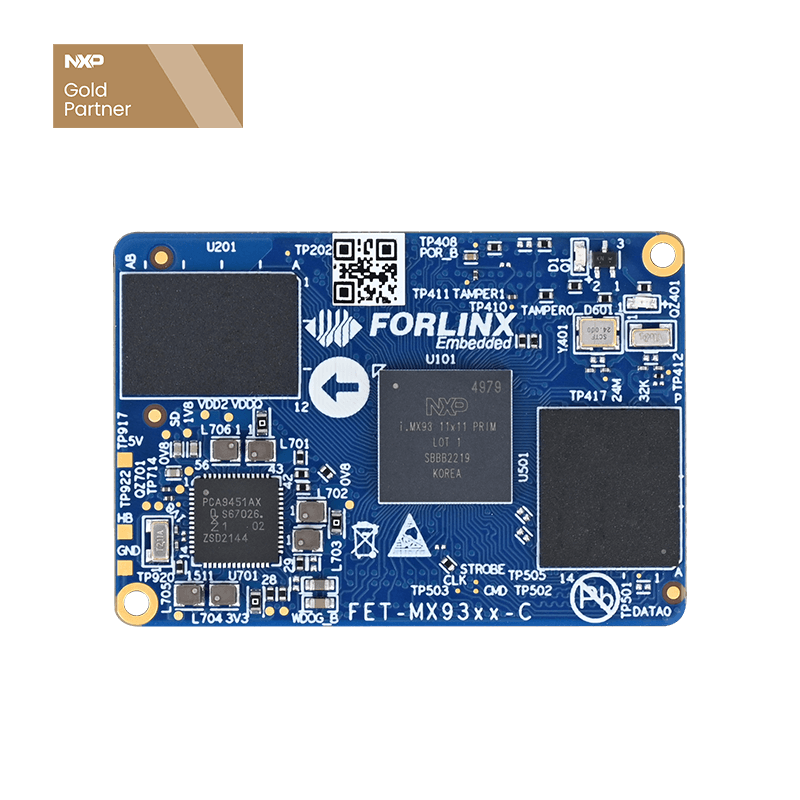
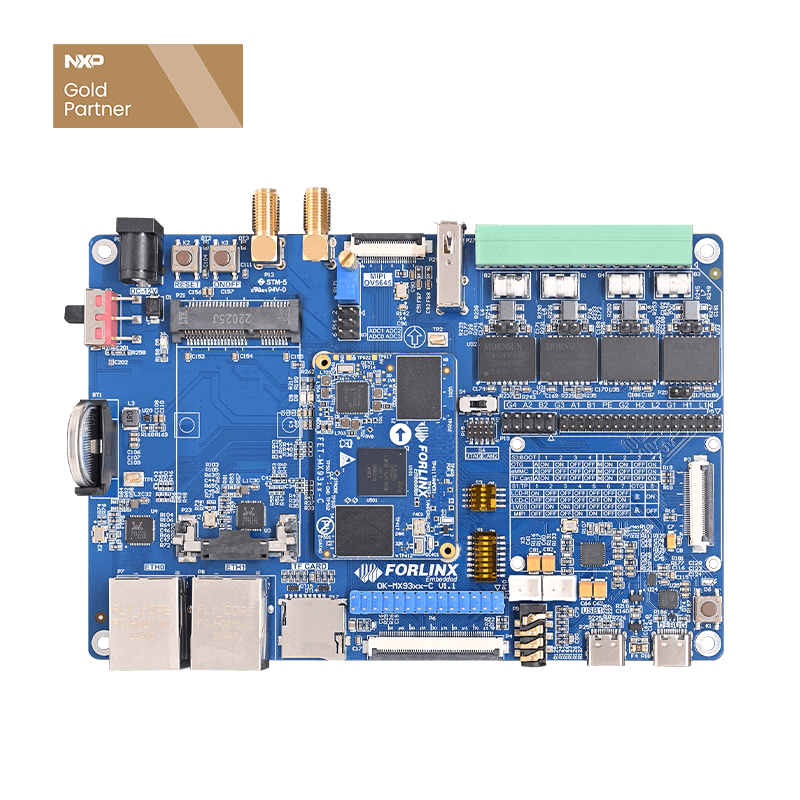
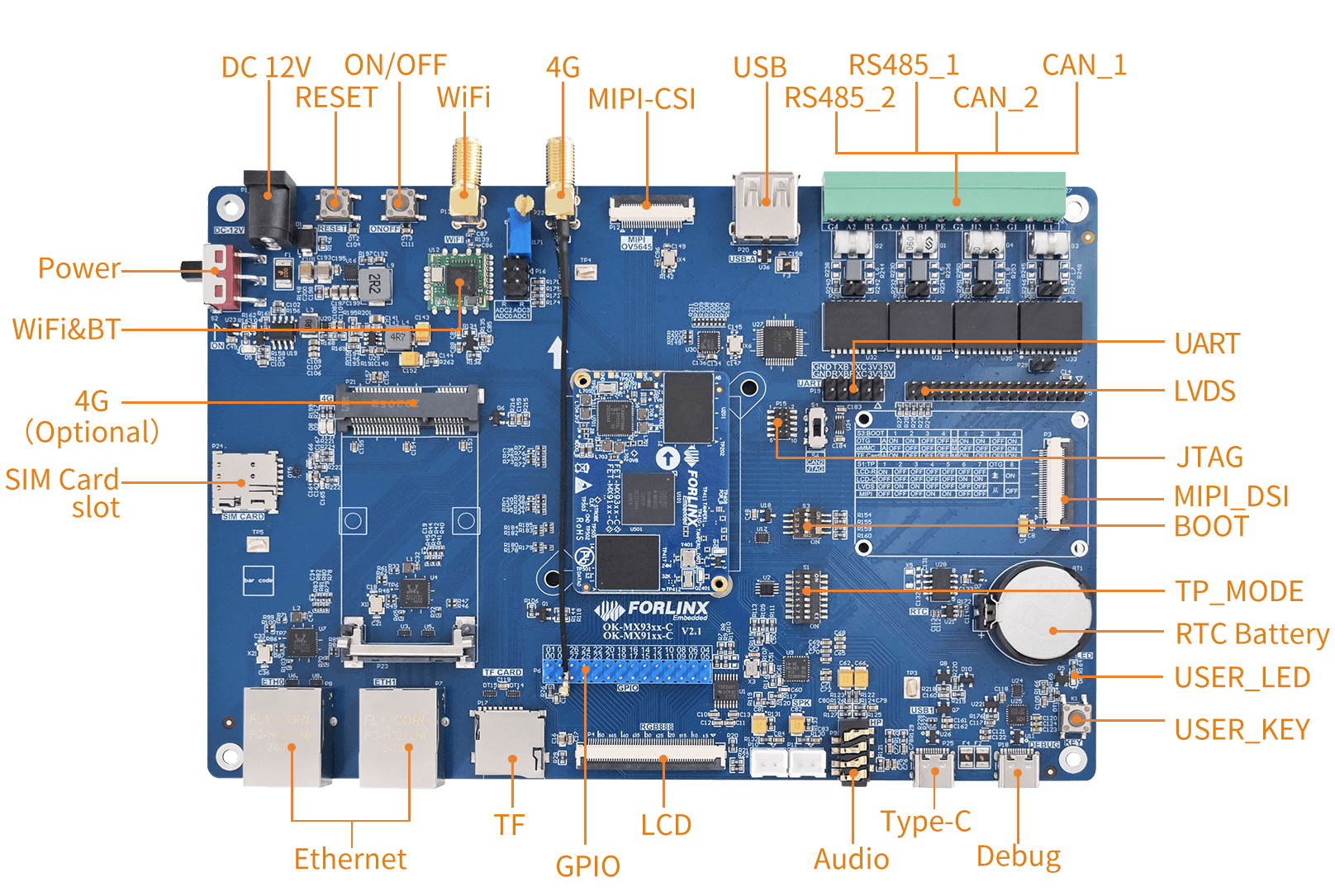
Demo Platform: OK-MX9352-C Development Board
Why Choose Zephyr?
1.1 Advantages of Zephyr Compared to Traditional RTOS
| Key Features: | Zephyr | Traditional RTOS |
| Hardware Description | Device Tree (DTS), decoupled from code | Header file / Macro hardcoding |
| Multi-core Support | Native AMP/SMP support | Requires custom implementation |
| Driver Framework | Unified API, portable | Vendor-specific HAL |
| Testing Framework | Built-in ztest and twister | Typically relies on external frameworks |
| Community Activity | 700+ boards, hundreds of commits monthly | Mostly vendor-maintained |
| Toolchain | west meta-tool, one-click VSCode integration | Separate vendor-specific tools |
From ''Configuring Hardware with Code'' to ''Declaring Hardware Relationships''
Traditional Pain Point: Changing an MCU pin or peripheral often requires rewriting drivers, adjusting registers, and modifying compilation options.
Zephyr's Approach: Uses a Devicetree hardware blueprint (.dts) to describe the entire hardware layout. Changing hardware only requires modifying the blueprint, leaving core application code largely untouched. The Kconfig feature menu allows graphical system configuration similar to the Linux kernel, making kernel customization as easy as ordering from a menu.
From ''Feature Implementation'' to ''Native Security and Power Design''
Traditional Pain Point: Security and low-power features are often added as afterthoughts late in a project, leading to vulnerabilities and difficult power optimization.
Zephyr's Approach: Security is foundational—from the secure boot chain and Memory Protection Unit (MPU) to cryptographic services, security is infrastructure, not just a module. Its event-driven power management framework enables predictive microampere-level power management, moving beyond empirical sleep modes.
From ''Single Firmware'' to ''Portable Software Assets''
Traditional Pain Point: Drivers written for Company A's chips often need to be completely rewritten for Company B's chips.
Zephyr's Approach: Based on a consistent device model, a driver developed once can be reused across multiple chip vendors. Protocol stacks like Bluetooth, Wi-Fi, and Matter are plug-and-play and isolated from hardware.
Result: Core code becomes inheritable, value-adding ''digital assets'' rather than disposable ''project consumables.''
1.2 Zephyr vs FreeRTOS
Zephyr and FreeRTOS both fall within the category of real-time operating systems and are both advancing deeper into the Internet of Things (IoT) domain. However, there are significant differences in their software architecture and kernel technologies.
Core Design Philosophy
| FreeRTOS | Zephyr | |
| Core Philosophy | Microkernel scheduler, providing core real-time scheduling functions | Complete integrated operating system platform |
| System Positioning | ''Scheduler Core'' + Third-party library integration model | ''Out-of-the-box'' complete RTOS solution |
| Design Goals | Extreme lightweight, high portability | Feature-complete, highly configurable, standardized |
| Build Philosophy | Provides building blocks, user assembles them | Provides a complete framework, user trims as needed |
| Suitable Project Size | Small to medium-scale projects | Medium to large-scale complex systems |
System Architecture
| FreeRTOS | Zephyr | |
| Scheduling Policy | Fixed-priority preemptive scheduling | Preemptive + Cooperative + Time-sliced, dynamic priority |
| Memory Management |
anagement Primarily dynamic allocation (pvPortMalloc), multiple heap schemes |
Default static allocation, supports slab/buddy systems, emphasizes determinism and fragmentation prevention |
| Hardware Abstraction | Manually ported via the port layer (requires writing assembly for context switching) | Automatic peripheral configuration based on Device Tree |
| Multi-core Support | Requires SMP branch or third-party porting | Native support for SMP (Symmetric Multiprocessing) and AMP |
| Memory Protection | Limited MPU support (FreeRTOS-MPU) | Full MPU/MMU support, user/kernel mode separation |
| Interrupt Handling | Interrupt Service Routine (ISR) | ISR + Bottom Half (Software Interrupt) |
| Synchronization Mechanisms | Queues, Semaphores, Mutexes, Event Groups | Semaphores, Mutexes, Condition Variables, Event Flags, Message Queues, Mailboxes, Pipes |
Protocol Stacks and Functionality
| FreeRTOS | Zephyr | |
| Network Protocols | Requires FreeRTOS+TCP (additional component) | Built-in IPv4/IPv6, CoAP, MQTT, LwM2M, HTTP |
| Wireless Protocols | Requires separate integration | Native support for BLE 5.4, Thread, Wi-Fi, LoRa, IEEE 802.15.4, Zigbee |
| Security Protocols | Requires integration of mbed TLS or AWS IoT SDK | Native mbedTLS integration, hardware crypto acceleration |
| Filesystem | Requires FatFS or LittleFS integration | Native support for POSIX-like APIs, with various file system drivers |
| CAN Bus | No standard framework, requires custom implementation | Native CAN Socket API (similar to Linux SocketCAN) |
| USB Stack | Depends on vendor SDK or third-party | Native support for POSIX-like APIs, with various file system drivers |
| OTA Updates | Relies on AWS IoT Jobs or custom solutions | Built-in MCUboot + A/B partition OTA |
Resource Footprint
(Minimum kernel image comparison for Cortex-M4, no peripherals)
| FreeRTOS | Zephyr | |
| Minimum Flash | 5–10 KB Flash | 32–64 KB Flash |
| Minimum RAM | 2–4 KB RAM | 8–16 KB RAM |
| Context Switch Time | ~0.8 μs | ~1.2 μs |
Development Environment and Debugging
| FreeRTOS | Zephyr | |
| System Build | Makefile / IDE project (e.g., Keil, IAR) | VS Code, CMake + West (command-line tool), highly standardized |
| Configuration | FreeRTOSConfig.h header file macro definitions | Kconfig + Device Tree (graphical menuconfig support) |
| Debugging Techniques | Relies on basic logging and IDE debuggers | Built-in LOG subsystem, GDB support, QEMU simulator |
| Learning Curve | Low (concise API, extensive documentation) | Higher (West meta-tool, Device Tree, Kconfig, CMake complexity) |
Based on the comparison, Zephyr has the following shortcomings:
Steeper learning curve
Larger resource footprint
More complex build system
Slightly slower context switch performance than FreeRTOS
Key Insight:
Zephyr's disadvantages are mostly concentrated in the entry phase and highly resource-constrained scenarios. Once a team establishes the workflow and the target platform has sufficient resources, these drawbacks diminish. Meanwhile, Zephyr's advantages—portability, security, and ecosystem maturity—become increasingly prominent as project complexity grows.
1.3 Zephyr Application Scenarios
Medical and Wearable Devices
Zephyr's deterministic real-time response and low-power characteristics enable applications like continuous glucose monitors and heart monitors, providing a technical path for mass-producible, medical-grade products.
Industrial Automation
Support for 10BASE-T1S and other industrial Ethernet protocols makes Zephyr well-suited for factory automation and process control. OSADL has already established quantifiable performance benchmarks for Zephyr in the industrial field.
Smart Home and Consumer Electronics
From Matter protocol support to the complete Bluetooth 5.4 stack, Zephyr is becoming a core support for the smart home ecosystem. The Arduino VENTUNO Q platform has adopted Zephyr to ensure deterministic execution of time-critical tasks.
Automotive Electronics
As automotive E/E architecture evolves towards centralization, Zephyr's modular design and memory protection mechanisms meet automotive functional safety requirements, making it an ideal choice for vehicle domain controllers.
2. Development Environment Setup (VS Code + MCUX)
2.1 Tool Preparation
It is recommended to use the NXP MCUXpresso for VS Code extension, which includes:
CMakePresets.json for one-click builds
SEGGER J-Link / LinkServer debugging support
Device Tree visualization (preview .overlay files)
Installation Steps:
1. Install VS Code.
2. Search for and install the MCUXpresso for VS Code extension in the Extensions Marketplace.
3. Follow the plugin's prompts to install west, the Zephyr SDK, and arm-none-eabi-gcc.
2.2 Project Structure
Use CMakePresets.json to manage build configurations. Each application follows a unified structure as shown below:
my_app/
├── CMakeLists.txt
├── CMakePresets.json ← Specifies BOARD and build directory
├── prj.conf ← Global Kconfig configuration
├── boards/
│ ├── imx93_evk_mimx9352_m33.overlay ← Board-level DTS overlay
│ └── imx93_evk_mimx9352_m33.conf ← Board-level Kconfig overrides
└──
src/
└── main.c
CMakePresets.json example:
{
  "configurePresets": [
    {
      "name": "debug",
      "cacheVariables": {
        "BOARD": "imx93_evk/mimx9352/m33",
        "CMAKE_BUILD_TYPE": "debug"
      }
    }
  ]
}
In VSCode, click the ''Build'' button in the bottom status bar to compile, eliminating the need for manual command entry.
3. Devicetree Overlay: The Core of Zephyr's Hardware Abstraction
Zephyr describes hardware through Devicetree, where board-specific differences are added via .overlay files, leaving the main DTSI files unmodified. This is a key design element for Zephyr's portability.
Overlay Description for an RTC Peripheral
The RTC (Real-Time Clock) is an essential peripheral in industrial and consumer electronics. In Zephyr, external RTC chips are connected via an I2C bus and are fully described in an .overlay file. The application layer can then use the unified RTC API without needing to understand the underlying hardware differences.
Taking the example of connecting an EPSON RX8010 to the i.MX93 EVK, the overlay needs to accomplish two things:
/* boards/imx93_evk_mimx9352_m33.overlay */
&lpi2c3 {
    status = "okay";
    clock-frequency =;   /* 400 kHz */
    pinctrl-0 = <&i2c3_default>;
    pinctrl-names = "default";
    rx8010: rx8010@32 {
        compatible = "epson,rx8010";        /* Matches driver binding binding */
        reg =;                       /* I2C device address */
        status = "okay";
    };
};
/ {
    aliases {
        rtc = &rx8010;                      /* pplication accesses via "rtc" alias */
    };
};
In the application code, you only need:
const struct device *rtc = DEVICE_DT_GET(DT_ALIAS(rtc));
struct rtc_time tm = { .tm_year = 125, .tm_mon = 3, .tm_mday = 20 };
rtc_set_time(rtc, &tm);
rtc_get_time(rtc, &tm);
Demonstration of Portability: If you replace the RX8010 with another RTC chip supported by Zephyr (e.g., DS3231, PCF8563), you only need to modify the compatible and reg properties in the overlay. The application code requires zero changes.
4. Driver Verification Practice
This section demonstrates a validated PWM driver example on the i.MX93 M33 core.
Example: pwm_api — Outputting PWM signals using the TPM2 controller
After importing the pwm_api project via Import Example from Repository,
The overlay only needs to declare an alias:
/* boards/imx93_evk_mimx9352_m33.overlay */
/ {
    aliases {
        pwm-test = &tpm2;
    };
};
Kconfig Configuration:
/* boards/imx93_evk_mimx9352_m33.overlay */
CONFIG_PWM=y
The test uses pwm_set_cycles() / pwm_set() to set the duty cycle, and the output waveform can be verified with an oscilloscope. The TPM (Timer/PWM Module) on i.MX93 maps directly to the Zephyr nxp,kinetis-tpm driver, requiring no custom code.
5. Common Debugging Techniques in Zephyr Development
5.1. Kconfig Configuration Check
Check debug/zephyr/.config in the VSCode project file directory. This file contains the final, merged configuration for the project.
5.2. Final Devicetree Output Check
Check debug/zephyr/zephyr.dts in the VSCode project file directory. This is the final, merged Devicetree content and is the most direct way to verify if your overlay merged successfully.
5.3. Log Level
CONFIG_I2C_LOG_LEVEL_DBG=y Enable I2C driver debug logs
5.4. ztest Test Framework
All driver examples use the ztest framework. After running, results are output via the serial port. Taking the PWM test as an example, the serial output after flashing is as follows:
*** Booting Zephyr OS build v4.1.0 ***
Running TESTSUITE pwm_basic
===================================================================
START - test_pwm_nsec
[PWM]: 0, [period]: 2000000, [pulse]: 1000000
[PWM]: 0, [period]: 2000000, [pulse]: 2000000
[PWM]: 0, [period]: 2000000, [pulse]: 0
PASS - test_pwm_nsec in 3005 ms
START - test_pwm_cycle
[PWM]: 0, [period]: 64000, [pulse]: 32000
[PWM]: 0, [period]: 64000, [pulse]: 64000
[PWM]: 0, [period]: 64000, [pulse]: 0
PASS - test_pwm_cycle in 3003 ms
===================================================================
TESTSUITE pwm_basic succeeded
Output Description:
test_pwm_nsec: Sets the following duty cycles sequentially in nanoseconds (each maintained for 1 second):
50% duty cycle (1.65V)
100% duty cycle (3.3V)
0% duty cycle (0V)
test_pwm_cycle: Repeats the verification of the above three duty cycles in units of ''cycles,'' with period=64000 cycles and pulse widths of 32000 / 64000 / 0 cycles sequentially.
Each [PWM] line in the output corresponds to one call to pwm_set() / pwm_set_cycles(). The actual voltage can be verified on the TPM2 output pin using an oscilloscope or multimeter.
7. Summary
Through this Zephyr porting practice on the i.MX93 M33 core, we have validated: the native Zephyr application pwm_api works on the i.MX93 M33 core.
The core value of Zephyr lies in:
1. One set of driver APIs covering all platforms — Changing the SoC only requires modifying the overlay, not the application code;
2. Devicetree-driven development — Clear separation between hardware configuration and software logic;
3. Complete testing infrastructure — ztest + testcase.yaml support CI/CD integration;
4. Native security and low-power design — Not an afterthought patch, but a system-level infrastructure;
5. Active upstream community — Over 1,600 contributors worldwide, with hundreds of merges weekly.
Forlinx Embedded OK-MX9352-C Development Board, based on NXP i.MX93, is a high-performance industrial-grade hardware platform. It demonstrates exceptional adaptability and outstanding stability with Zephyr RTOS. Leveraging Zephyr's engineering capabilities, developers can rapidly implement peripheral driver development, system porting, and functional verification on the Forlinx Embedded OK-MX9352-C development board, significantly shortening the R&D and mass production cycles of industrial products.
For teams engaged in embedded RTOS selection and industrial-grade product development, the combination of the Forlinx Embedded OK-MX9352-C Development Board + Zephyr RTOS offers an optimal solution that balances development efficiency, system security, and hardware reliability.
Forlinx Embedded OK-MX9352-C Development Board: Providing a stable, efficient, and industrial-grade hardware foundation for Zephyr implementation.