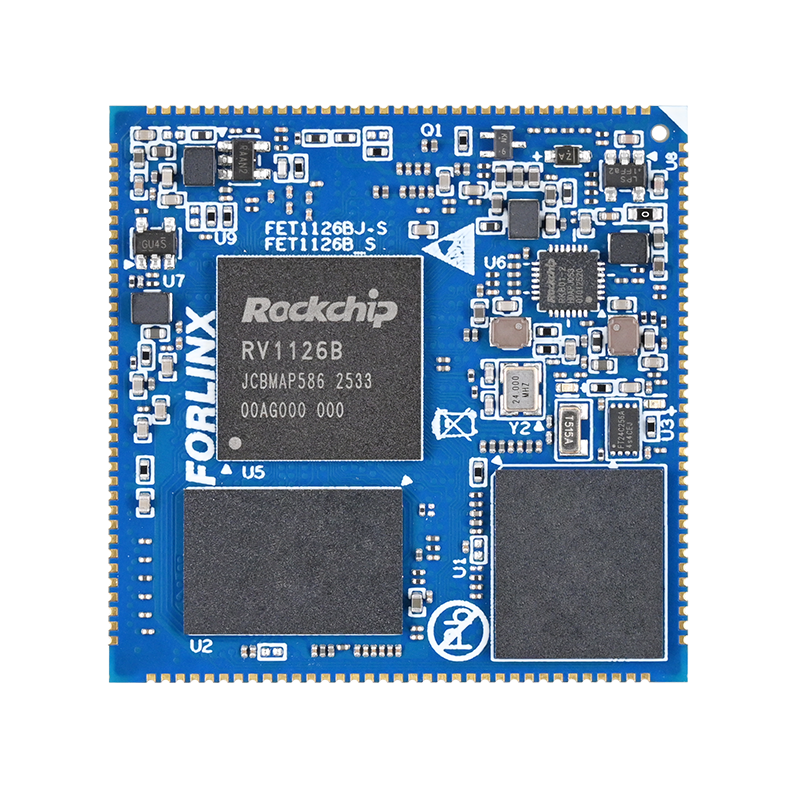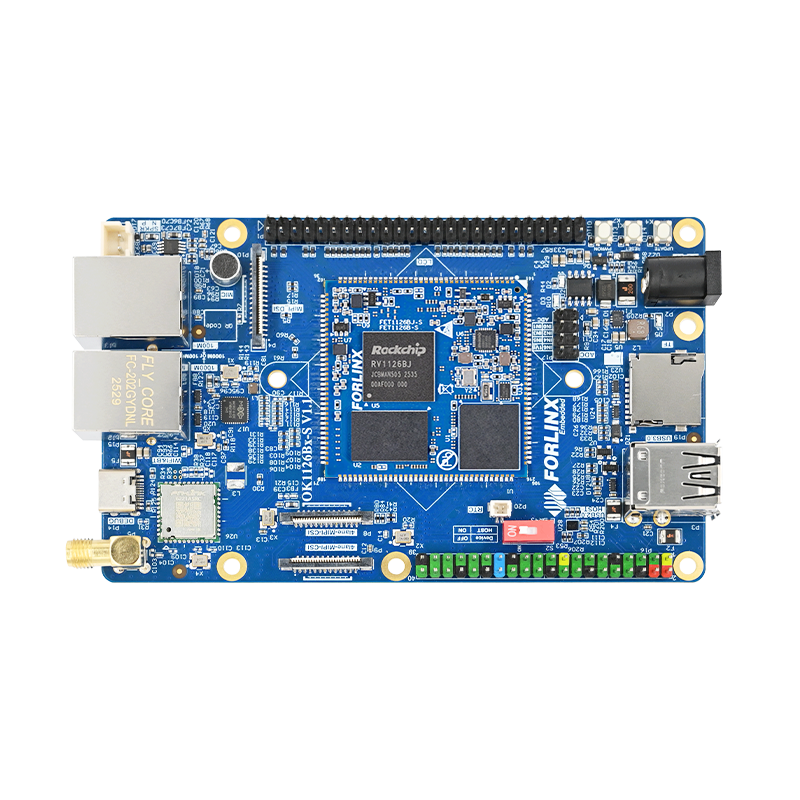

How to Achieve Active Embedded Hardware Control with OpenClaw Skills on the OK1126B-S Development Board
In the current global AI ecosystem, over 99% of applications focus on PC-based office automation. However, in the embedded Linux space, the challenge of seamlessly enabling AI to control GPIO, UART, or industrial sensors still remains.
With the OK1126B-S development board's powerful edge computing capabilities, OpenClaw is bridging this gap through its Skills framework. This article will break down the core logic behind Skills and demonstrate how a standardized "manual" allows AI to control hardware with the precision of an experienced engineer.
1. OpenClaw Skills Ecosystem
If the model itself is the "brain," then Skills serve as the "experience + action guidelines.” By creating Skills, we can transform OpenClaw from a passive responder into an active AI that can autonomously complete complex tasks based on predefined rules.
As of today, ClawHub's community has released over 26,000 Skills. However, over 99% of these Skills are designed for Windows, x86 Linux, or Mac platforms, focusing mainly on office and web automation. Few Skills are developed for embedded Linux, and those that exist are not mature enough, often lacking standardized encapsulation and driver adaptation for embedded peripherals (GPIO, UART, SPI, I2C, sensors, motors, cameras). Additionally, there is a significant gap in specialized Skill sets designed for edge computing, low-power, and real-time applications in fields like industrial control, robotics, smart homes, and automotive systems.
So, does the embedded field not deserve "lobster" too?
In this article, we will demonstrate a simple example—controlling the blink pattern of an LED on the OK1126B-S development board—and gradually break down the design and usage of Skills, starting from the basics.
2. What Are Skills?
In essence, Skills are like an "operating manual." They don't directly perform tasks for AI but tell AI when, how, and what to do.
Let's simplify it with an analogy: In a shooting game, the player's goal is to defeat enemies. The gun, as a tool, has a simple role:
Input: Pull the trigger
Output: Fire
Where the bullet lands is not the gun's concern. The Skill, however, functions as the "tactical guide." It tells AI:
When to shoot (detecting an enemy)?
When not to shoot (friendly forces ahead)?
When to stop (enemy's health reaches zero)?
With these rules, AI transitions from being a mechanical tool that executes commands to one that possesses decision-making abilities, thinking and reasoning in a more human-like manner.
2.1 Basic Structure of a Skill
In OpenClaw, a Skill is essentially a structured directory, typically found at:
~/.openclaw/workspace/skills/${SKILL_NAME}
A complete Skill is composed of four parts:
| Component | Required | Role |
| SKILL.md | Mandatory | Core manual |
| scripts/ | Optional | Executable scripts |
| references/ | Optional | Reference materials |
| assets/ | Optional | Resource files |
Naming rules:
The directory name of a Skill must follow the naming convention, or it will not be recognized:
Only lowercase letters, numbers, and hyphens (-) are allowed.
Example: gpio-led-control
This convention, though simple, is crucial in actual development. Many issues with loading Skills are often caused by violations of this rule.
2.2 Detailed Explanation of SKILL.md
The SKILL.md file is the heart of the Skill, akin to a "manual + behavior guide." It consists of two parts:
① Metadata (Preliminary Information)
Enclose with --- to define the basic information of the Skill. This information serves to:
Help OpenClaw recognize the Skill
Provide semantic matching (keywords to trigger the Skill)
For example:
name: gpio-led-control # Required
description: description: GPIO LED control for development boards # Required
(Some options are listed below for reference only)
user-invocable: true # Optional: Whether it can be called directly by the user
② Main Content (Action Guidelines)
The main content serves as the specific action guide, which can be organized flexibly based on requirements. To illustrate, here's a simplified version of the SKILL.md for "gpio-led-control":
# GPIO LED Control - Development Board LED Control
Control the system LEDs (e.g., work/net) on boards like the OK1126B-S.
## Quick Start
### View Available LEDs
### Control LED On/Off
## Example Usage
## Permissions
## Notes
In practice, the SKILL.md file can be extended based on specific needs, such as adding logic for execution conditions (when to run), error handling, parameter explanations, and example inputs/outputs. In addition to the core SKILL.md file, the other three directories serve auxiliary roles, each with its distinct function.
scripts/: This directory is mainly used to store executable script files. It's suited for scenarios where the execution logic is fixed and doesn't require frequent changes, such as tasks like controlling the on/off state of an LED. These scripts can be directly invoked, which reduces the need for redundant code generation and increases overall execution efficiency and stability.
references/: This directory is used to organize various reference materials, such as API documentation, database structure explanations, or operation manuals. These materials are not loaded all at once; instead, they are brought in as needed based on context. This approach helps avoid unnecessary resource consumption and ensures that AI has access to deeper, more professional knowledge at critical moments.
assets/: This directory is where various resource files, such as templates, images, and other media, are stored. Unlike references, the contents here are not part of the model's contextual reasoning but serve to enhance the final output, such as providing report templates or images for the output. These resources elevate the presentation and completeness of the Skill's results.
2.3 Process of Writing a Custom Skill
Once we understand the structure, it's time to start writing our own Skill. The process can be summarized as:
Requirement Analysis → Resource Planning → Initialization → Writing → Packaging → Testing
Step 1: Requirement Analysis
Before diving in, clearly define:
What problem the Skill will solve?
What is the usage scenario?
How will users trigger it?
What are the inputs and outputs?
Trigger conditions must be clearly defined, otherwise, the Skill may fail to be invoked or be incorrectly triggered.
Step 2: Resource Planning
Decide if you need:
scripts (Do you need executable code?)
references (Do you need documentation?)
assets (Do you need resources?)
Proper planning upfront helps avoid structural confusion and redundancy caused by repeated revisions later on.
Step 3: Writing and Debugging
We can leverage OpenClaw to automatically generate a standardized initial template for a Skill in a designated directory, which can then be further refined. However, it's important to note that this auto-generated Skill is just a "starting point" and usually doesn't meet actual requirements right away. To truly deploy it, the content still needs to be gradually adjusted and tested iteratively based on the specific scenario, ultimately refining it to achieve the desired functionality.
3. Real-World Skill Example
To better understand, we've created a simple Skill for controlling two LEDs on the OK1126B-S development board. Once the Skill is connected, OpenClaw:
① Recognizes the user's intent
② Matches the appropriate Skill
③ Executes actions according to SKILL.md rules
④ Calls the necessary scripts and returns results
This entire process runs autonomously, enabling true “natural language control of hardware.”
4. Conclusion
By breaking down the core concepts of Skills and demonstrating them with a simple LED control example, we've highlighted the practical application of Skills. Even for basic hardware control scenarios, this example demonstrates the core value of Skills: turning complex processes into reusable, standardized capability units.
The design philosophy behind Skills is to enable streamlined command execution and standardized actions. After the Skill is built, a single command is all it takes for AI to execute tasks according to predefined rules. This not only eliminates redundant development and debugging but also ensures stability and consistency across various scenarios. Skills offer tremendous value in embedded development, automated operations, and smart device management.
The embedded space is a key breakthrough area for the OpenClaw ecosystem. It is essential for real-time hardware interaction, edge intelligence deployment, and represents the most promising growth area with the highest demand for quality capabilities. By continuously building a rich, user-friendly, and reliable embedded Skills pool, OpenClaw can break free from its desktop tool limitations and evolve into a comprehensive smart execution framework that spans the entire "cloud-edge-device" chain.