
Adapting Orbbec DCW2 Depth Camera on RK3588 Platform: A Practice Based on ROS1 Noetic and OrbbecSDK-ROS1
In application scenarios such as robotics, AGVs, industrial inspection, and spatial perception, depth cameras provide capabilities like distance sensing, depth map acquisition, object recognition assistance, and environmental modeling for devices. This article, based on the OK3588-C development board, introduces the method for adapting the Orbbec DCW2 depth camera in a Linux + ROS1 environment. It compiles a complete workflow covering environment setup, SDK compilation, camera startup, and image data acquisition.
Primarily intended for developers needing to integrate Orbbec depth cameras on the RK3588 platform, this serves as a reference for depth camera adaptation in ROS1 environments.
I. Adaptation Background
The Orbbec DCW2 is a depth camera that requires control via the official Orbbec SDK. To achieve depth map and RGB image capture on the RK3588 platform, corresponding software environment setup, SDK compilation, and ROS topic verification are necessary.
The system environment selected for this adaptation is as follows:
Ubuntu 20.04
ROS1 Noetic
OrbbecSDK-ROS1
Linux 6.1.118 Preempt-RT
Please note that this article has been verified based on the above environment and has not yet undergone complete testing on other Ubuntu versions, ROS versions, or hardware platforms.
II. Testing Environment
Hardware Environment
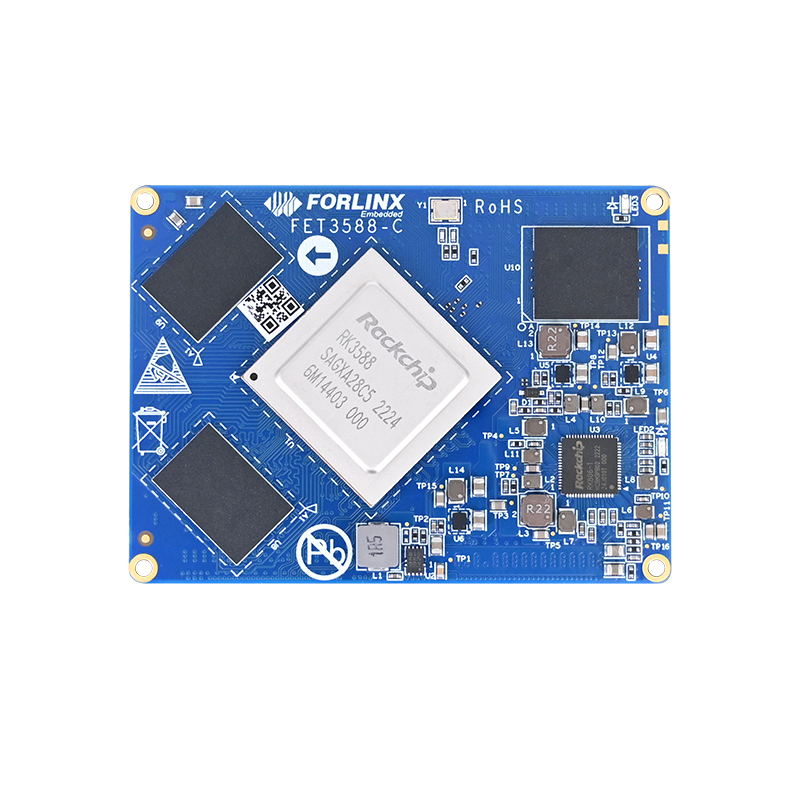
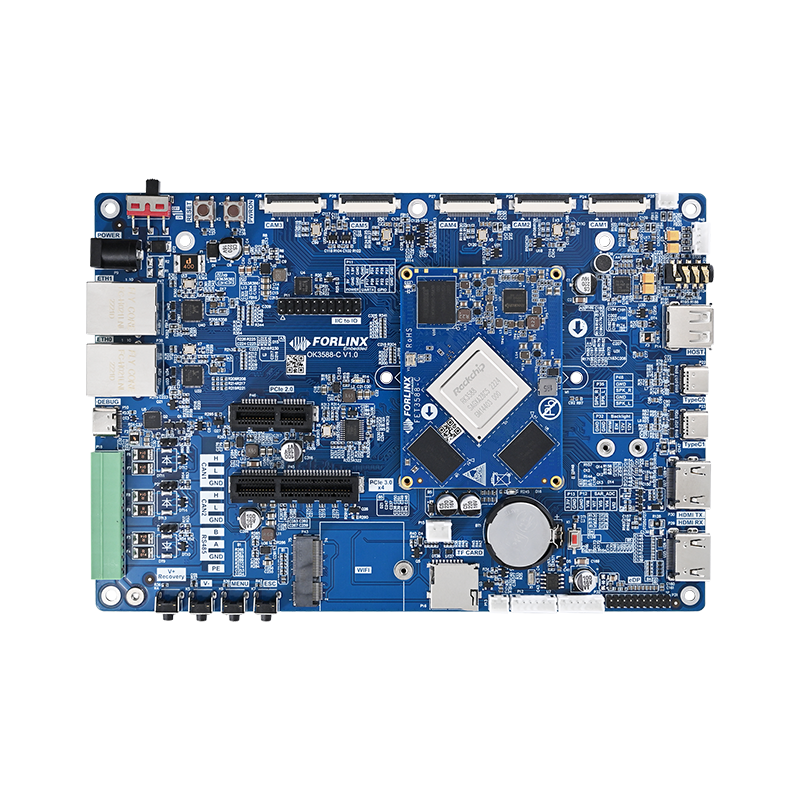
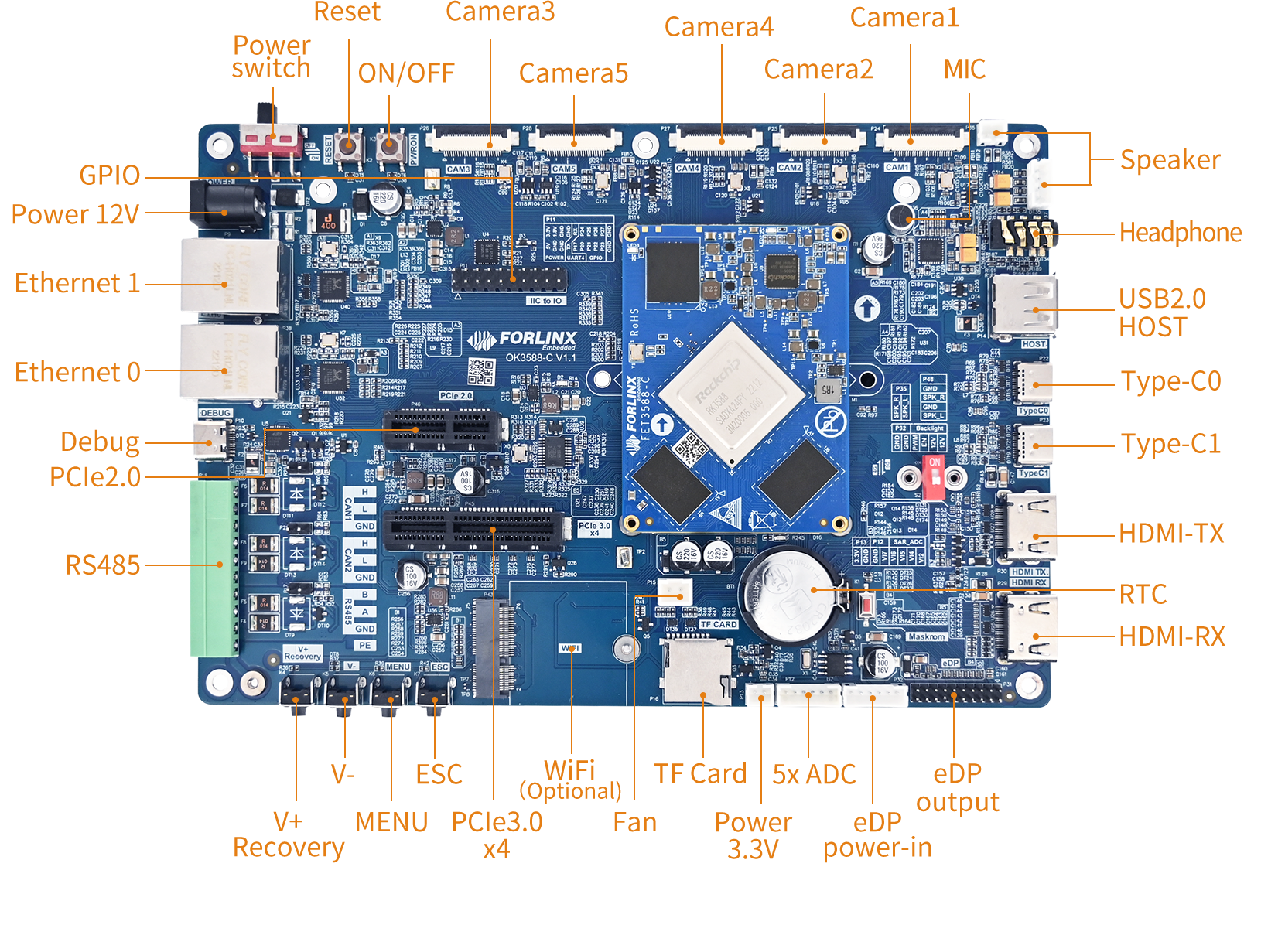
Development Board: OK3588-C
Processor: Rockchip RK3588
Memory/Storage: 8GB RAM + 64GB eMMC
Camera: Orbbec DCW2 Depth Camera
Software Environment
Kernel:Linux 6.1.118 Preempt-RT
Ubuntu:20.04
ROS:ROS1 Noetic
SDK:OrbbecSDK-ROS1
III. Overall Adaptation Approach
There are two methods for adapting:
- 1. Installing and compiling directly on the board
- 2. Pre-installing ROS and the OrbbecSDK on the host machine by mounting the Ubuntu rootfs image via QEMU
During practical operations, the method can be chosen based on the development environment.
Compiling directly on the board is a more straightforward process but requires attention to permissions, network, and system resource usage.
Pre-installing via QEMU on the host machine allows for generating a pre-integrated image with ROS and the OrbbecSDK, facilitating reuse and batch deployment later.
This document adopts the second method: mounting the Ubuntu rootfs image via QEMU, pre-installing ROS1 and the OrbbecSDK on the host machine, and ultimately generating a pre-installed environment image.
The advantages of this method are:
- Reducing the time spent repeatedly installing dependencies on the board.
- Facilitating the generation of reusable system images.
- Suitability for repeated testing and environment stabilization.
- Avoiding compilation failures due to insufficient resources on the board.
IV. Environment Preparation
Whether installing on the board or pre-installing on the host, ensure the system network is functioning properly.
If encountering DNS resolution issues, you can temporarily modify the nameserver:
echo "nameserver 222.222.202.202" > /etc/resolv.conf
Afterward, update the system resources:
sudo apt-get update
sudo apt-get upgrade -y
Install lightdm:
sudo apt-get install lightdm
V. Installing ROS1 Noetic
This installation of ROS1 Noetic utilizes the FishROS one-click installation script:
wget http://fishros.com/install -O fishros && . fishros
Note: During the installation process, ensure you select ROS1 and do not mistakenly choose ROS2.
After installation, perform a simple verification with the following commands:
which rosdepc && sudo rosdepc init && rosdepc update
If no significant errors appear, it indicates that the basic ROS1 environment has been successfully installed.
VI. Installing Dependencies for OrbbecSDK-ROS1
Before compiling OrbbecSDK-ROS1, you need to install the necessary dependencies:
sudo apt install libgflags-dev ros-noetic-image-geometry ros-noetic-camera-info-manager ros-noetic-image-transport-plugins ros-noetic-compressed-image-transport ros-noetic-image-transport ros-noetic-image-publisher libgoogle-glog-dev libusb-1.0-0-dev libeigen3-dev ros-noetic-diagnostic-updater ros-noetic-diagnostic-msgs libdw-dev libuvc-dev
These dependencies primarily include:
- ROS image transport and processing components;
- Camera information management components;
- Libraries for USB device access;
- Logging and diagnostic libraries;
- Support for OpenCV and ROS image bridging.
VII. Obtaining OrbbecSDK-ROS1 Source Code
Create a ROS workspace:
mkdir -p ~/ros_ws/src
cd ~/ros_ws/src
Extract the prepared source code package (from the main branch) of OrbbecSDK-ROS1 into this directory:
unzip OrbbecSDK_ROS1-main.zip
mv OrbbecSDK_ROS1-main OrbbecSDK_ROS1
Notes:
It is recommended to use the main branch for development; otherwise, you may encounter issues like ''No device found;''
To ensure consistent testing results, it's advised to use a verified source code version to avoid changes in compilation or runtime behavior due to upstream source updates.
VIII. Compiling OrbbecSDK
Navigate to the ROS workspace:
cd ~/ros_ws
If compiling on an RK3588 board, it is recommended to use single-threaded mode:
catkin_make -j1 -l1
During testing, it was observed that compiling on the board without limiting the number of threads might lead to compilation failures. Initial analysis suggests this may be related to memory usage; therefore, using single-threaded compilation is advised to improve compilation stability.
If compiling on a host machine (e.g., a PC), you can simply run:
catkin_make
However, it is recommended that the host machine have at least 12GB of free memory to avoid resource shortages during compilation.
IX. Loading Environment and Installing udev Rules
After compilation, load the ROS workspace environment:
source ~/ros_ws/devel/setup.bash
Navigate to the Orbbec camera package directory:
roscd orbbec_camera
Install the udev rules:
sudo bash ./scripts/install_udev_rules.sh
After installation, you must reconnect the camera (unplug and plug it back in) for the udev rules to take effect.
For convenience in subsequent use, you can add the environment variable to your bashrc:
echo "source ~/ros_ws/devel/setup.bash" >> ~/.bashrc
X. Launching the DCW2 Camera
Before launching the camera on the board, load the environment:
source ~/ros_ws/devel/setup.bash
Launch the DCW2 camera:
roslaunch orbbec_camera dabai_dcw2.launch
If the launch is successful, it indicates that OrbbecSDK-ROS1 can recognize and interface with the DCW2 camera.
XI. Checking Camera Data
Open another terminal and load the environment:
source ~/ros_ws/devel/setup.bash
Check the ROS topic list:
rostopic list
Check the depth image frame rate:
rostopic hz /camera/depth/image_raw
Check the depth image data:
rostopic echo /camera/depth/image_raw -n1 | head -20
You can also use RViz to view the image:
rviz
In RViz, select:
Add → By topic → /camera/depth/image_raw/Image
This will display the depth image.
XII. Exporting Depth Images in PNG Format
During debugging, it's often necessary to save depth images for analysis. You can use the following Python script to subscribe to the ROS depth image topic and export both the raw depth image and a visualized version.
import rospy
import cv2
import numpy as np
from sensor_msgs.msg import Image
from cv_bridge import CvBridge
def callback(msg):
    bridge = CvBridge()
    # Convert to a 16-bit depth image, preserving the original depth data
    raw_depth = bridge.imgmsg_to_cv2(msg, desired_encoding="16UC1")
    # Save the raw depth image for subsequent measurement and analysis
    cv2.imwrite("depth_raw.png", raw_depth)
    # Generate a visualized depth image for easier direct viewing on a computer
    viz_depth = cv2.normalize(raw_depth, None, 0, 255, cv2.NORM_MINMAX, dtype=cv2.CV_8U)
    cv2.imwrite("depth_visual.png", viz_depth)
    print("Depth images saved.")
    print("Raw depth image: depth_raw.png")
    print("Visualized depth image: depth_visual.png")
    rospy.signal_shutdown("Task completed")
if __name__ == '__main__':
    rospy.init_node('save_depth_image')
    rospy.Subscriber('/camera/depth/image_raw', Image, callback)
    rospy.spin()
After running, two files will be generated:
depth_raw.png: The original 16-bit depth image, usable for distance measurement and data analysis;
depth_visual.png: The visualized depth image, easier for directly perceiving depth variations.
XIII. Exporting RGB Images
If you need to save RGB images, you can subscribe to the /camera/color/image_raw topic:
import rospy
import cv2
from sensor_msgs.msg import Image
from cv_bridge import CvBridge
def callback(msg):
    bridge = CvBridge()
    # Convert the ROS image message to OpenCV format
    cv_image = bridge.imgmsg_to_cv2(msg, desired_encoding="bgr8")
    # Save the RGB image
    cv2.imwrite("rgb_image.jpg", cv_image)
    print("RGB image saved as rgb_image.jpg")
    rospy.signal_shutdown("Save completed")
if __name__ == '__main__':
    rospy.init_node('save_rgb_image')
    rospy.Subscriber('/camera/color/image_raw', Image, callback)
    rospy.spin()
After running, you will get:
rgb_image.jpg
XIV. Notes During the Adaptation Process
1. Ubuntu Version Selection
Ubuntu 20.04 was chosen for this verification primarily to match the ROS1 Noetic environment.
2. Recommend Installing ROS1 First, Then OrbbecSDK-ROS1
From this verification, OrbbecSDK-ROS1 has dependencies on the ROS1 environment. Therefore, it is recommended to complete the ROS1 installation before proceeding with the compilation and configuration of OrbbecSDK-ROS1.
3. Recommend Using the main Branch Source Code
During testing, it was found that not using the main branch could lead to device recognition issues. Hence, it is advised to use the main branch source code for development and verification.
4. Recommend Limiting Threads When Compiling on the Board
When compiling on the RK3588 board, it is recommended to use:
catkin_make -j1 -l1
This reduces memory pressure and increases the success rate of compilation.
5. udev Rules Should Be Installed in the Actual Runtime Environment
The udev rules should be installed on the board in its actual runtime environment. After installation, reconnect the camera for the rules to take effect.
XV. Summary
This document details the adaptation and verification of the Orbbec DCW2 depth camera on the OK3588-C platform within a Linux 6.1.118 Preempt-RT + Ubuntu 20.04 + ROS1 Noetic environment.
Using OrbbecSDK-ROS1, we achieved camera launching, depth image data acquisition, RGB image capture, and visualization in RViz. This solution provides reference value for fields including robotics, AGVs, industrial visual inspection, and spatial perception.
Through adaptation, the RK3588 platform demonstrates strong edge visual processing capabilities. When combined with the ROS ecosystem and depth cameras, it offers a robust development foundation for applications such as depth perception, visual recognition, spatial distance measurement, and multi-sensor fusion.