
Farewell to Redundant Multi-Platform Development: Achieve Consistent UI Design Across All Platforms with Buildroot + Flutter
1. Solution Overview
Deploying Flutter applications in embedded Linux systems built with Buildroot typically relies on two mature open-source solutions, each tailored for different display scenarios and development needs:
Solution 1: flutter-elinux (Sony's Open-Source Solution)
This embedded Linux Flutter toolchain, officially maintained by Sony, supports both DRM/GBM direct rendering and compatibility with multiple display backends such as Wayland and X11. It offers broader adaptability across various scenarios.
Solution 2: flutter-pi (Lightweight Embedder)
A lightweight Flutter engine host program, implemented solely via low-level DRM/GBM interfaces for rendering. It requires no desktop environment dependencies, consumes fewer resources, and is better suited for pure embedded scenarios.
2. Comparison of Mainstream Solutions and Architectural Overview
2.1 Differences Between flutter-pi and flutter-embedded-linux:
| Features: | flutter-pi | flutter-embedded-linux (Sony) |
| Lead Organization | Community individual developer (ardera) | Sony team and community |
| Purpose & Goals | Provide an extremely lightweight runtime for devices like Raspberry Pi and maker hardware. | Deliver a standardized Flutter runtime environment for industrial/commercial embedded devices. |
| Primary Hardware Architecture | ARMv7 (32-bit), ARMv8 (64-bit), x86/x86_64 | Focused optimization for ARM64 (64-bit) and x64, with limited 32-bit support. |
| Display Backend | DRM/GBM (KMS) only (fully independent of X11/Wayland graphical desktop, direct output to screen) | Multi-backend support: Wayland, DRM/GBM, X11, EGLStream (NVIDIA). |
| Development & Debugging Tools | Uses native Flutter toolchain + runs compiled artifacts, debugging is relatively basic | Provides dedicated flutter-elinux CLI tool supporting Hot Reload and remote debugging. |
| Applications | Embedded full-screen applications | Coexistence with desktop environments required |
2.2 Flutter-pi Runtime Architecture:
┌──────────────────────────┐
│FlutterApp(Dart) │→libapp.so(AOT compilation)
├──────────────────────────┤
│libflutter_engine.so│→Rendering engine+DartVM
├──────────────────────────┤
│flutter-pi(embedder)│→DRM/GBM Direct rendering
├──────────────────────────┤
│Mali-G52GPU+DRM/KMS │
├──────────────────────────┤
│BuildrootLinux(ARM64)│
└──────────────────────────┘
2.3 flutter-pi Rendering Pipeline
1 Flutter →OpenGLES command→libGLESv2.so→Mali-G52GPU→GBMbuffer→DRM→HDMI
3. Buildroot Native Flutter Package System
Starting with Buildroot 2024.02, the official release now includes a complete set of Flutter-related software packages. There's no need for additional porting; simply enabling the corresponding configuration in defconfig completes the compilation and integration.
The package directory is located under buildroot/package/, with the following structure:
buildroot/package/
├── flutter-engine/ # # Flutter Engine, compiled from source (gclient + GN + ninja)
│ ├── Config.in
│ ├── flutter-engine.mk
│ ├── gen-tarball # gclient Script to synchronize source code via gclient and package it
│ └── dot-gclient # gclient Configuration file
├── flutter-sdk-bin/ # Flutter SDK (host tools)
│ ├── Config.in.host
│ ├── flutter-sdk-bin.hash
│ └── flutter-sdk-bin.mk
├── flutter-pi/ # ardera 的 DRM-GBM embedder
│ ├── Config.in
│ ├── flutter-pi.hash
│ ├── flutter-pi.mk
│ └── 0001-user_input-touch-Fallback-to-10-slots.patch
├── flutter-embedded-linux/ # Sony 的 Wayland/X11/GBM embedder
│ ├── Config.in
│ ├── flutter-embedded-linux.hash
│ └── flutter-embedded-linux.mk
├── flutter-packages/ # Official Example App
│ ├── Config.in
│ ├── flutter-packages.hash
│ └── flutter-packages.mk
4. Hands-On Adaptation of flutter-pi (Using RK3568 Platform as an Example)
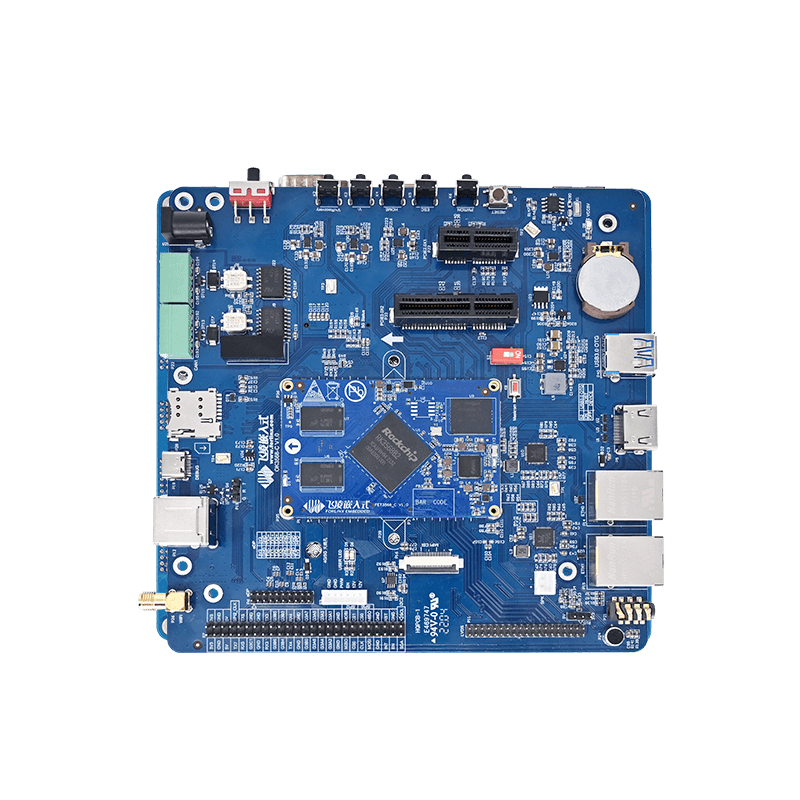
The following demonstrates the adaptation process for flutter-pi based on the RK3568 6.1.118 SDK environment. The adaptation logic for flutter-embedded-linux is similar; choose one of the two as needed.
Note: flutter-pi uses DRM for direct rendering and does not rely on the Weston desktop environment. After selecting this solution, Weston can be disabled in the system to further reduce resource usage.
Adding Flutter Configuration to defconfig:
Add the following content to the configuration file: buildroot/configs/rockchip_ok3568_defconfig:
# Flutter embedder - flutter-pi (DRM-GBM direct rendering)
BR2_PACKAGE_FLUTTER_PI=y
BR2_PACKAGE_FLUTTER_PI_CHARSET_CONVERTER_PLUGIN=y
BR2_PACKAGE_FLUTTER_PI_RAW_KEYBOARD_PLUGIN=y
BR2_PACKAGE_FLUTTER_PI_TEXT_INPUT_PLUGIN=y
# Flutter example apps for testing (Total six examples)
BR2_PACKAGE_FLUTTER_PACKAGES=y
BR2_PACKAGE_FLUTTER_ADAPTIVE_SCAFFOLD_EXAMPLE=y
BR2_PACKAGE_FLUTTER_ANIMATIONS_EXAMPLE=y
BR2_PACKAGE_FLUTTER_GO_ROUTER_EXAMPLE=y
BR2_PACKAGE_FLUTTER_IMAGE_EXAMPLE=y
BR2_PACKAGE_FLUTTER_MARKDOWN_EXAMPLE=y
BR2_PACKAGE_FLUTTER_RFW_LOCAL_EXAMPLE=y
Explanation of each configuration function:
| Options | Role |
| BR2_PACKAGE_FLUTTER_PI=y | Enable flutter-pi embedder (DRM-GBM) of ardera |
| BR2_PACKAGE_FLUTTER_PI_CHARSET_CONVERTER_PLUGIN=y | Character Encoding Plugin |
| BR2_PACKAGE_FLUTTER_PI_RAW_KEYBOARD_PLUGIN=y | Raw Keyboard Event Plugin |
| BR2_PACKAGE_FLUTTER_PI_TEXT_INPUT_PLUGIN=y | Text Input Plugin |
| BR2_PACKAGE_FLUTTER_PACKAGES=y | Enable the official Flutter example app and source download. |
Once configured, you can proceed with the standard Buildroot compilation process.
5. Key Compilation Output Artifacts Explained
After the Buildroot compilation is complete, the core Flutter components will be deployed to the corresponding paths on the target system. The details are as follows:
| Component | Size | Path | Role |
| flutter-pi | 355KB | /usr/bin/flutter-pi | The main programme of the embedder, responsible for interface rendering scheduling and input event handling. |
| libflutter_engine.so | 42MB | /usr/lib/libflutter_engine.so | The Flutter core engine, which provides rendering capabilities and the Dart virtual machine |
| icudtl.dat | 10MB | /usr/share/flutter/release/data/icudtl.dat | International character set data files |
6. Flutter cross-compilation Toolchain Built Using Buildroot
6.1 Toolchain List
| Tool | Path | Operation Architecture | Key Role |
| flutter | host/share/flutter/sdk/bin/flutter | x64(Shell Script) | Flutter Project Management and Dependency Resolution |
| dartaotruntime | host/share/flutter/sdk/bin/cache/dart-sdk/bin/dartaotruntime | x64 | Dart AOT Runtime Environment |
| frontend_server_aot | host/.../dart-sdk/bin/snapshots/frontend_server_aot.dart.snapshot | Platform-independent | Dart source-to-Kernel bytecode compiler |
| flutter_gen_snapshot | host/bin/flutter_gen_snapshot | x64 -> ARM64 | Converting Kernel bytecode to ARM64 machine code |
| flutter_patched_sdk | host/.../engine/common/flutter_patched_sdk/ | - | Provides Flutter core libraries such as dart:ui |
6.2 Three-Step Method for Cross-Compilation
Step 1: flutter build bundle host/share/flutter/sdk/bin/flutter
Dart source code + pub dependencies——> kernel_blob.bin + flutter_assets
(lib/main.dart)
Step 2: frontend_server_aot host/.../dart-sdk/bin/snapshots/frontend_server_aot.dart.snapshot
kernel_blob.bin ——> app.dill (AOT compatible kernel)
Operating method: dartaotruntime frontend_server_aot.dart.snapshot
--sdk-root flutter_patched_sdk/ --target=flutter --aot --tfa
--packages .dart_tool/package_config.json
--output-dill app.dill lib/main.dart
Step 3: flutter_gen_snapshot host/bin/flutter_gen_snapshot
app.dill ——> libapp.so (ELF, ARM aarch64)
Operating method: flutter_gen_snapshot --deterministic
--snapshot_kind=app-aot-elf --elf=libapp.so app.dill
6.3 Key point: Flutter_gen_snapshot is a Cross-compiler
file flutter_gen_snapshot
→ ELF x86-64 ← run on x64
The resulting libapp.so:
→ ELF ARM aarch64 ← run on ARM64
This was generated from the source code when compiling the Flutter engine using Buildroot; it utilises an internal ARM64 simulator to directly generate ARM64 instructions on an x64 system.
7. Analysis of Solution Advantages and Disadvantages
7.1 Solution Advantages
GPU Hardware Acceleration, Excellent Rendering Performance
The Flutter engine is natively and deeply adapted for OpenGL ES / Vulkan graphics APIs, designed to achieve 60fps or even 120fps smooth animations. The embedded embedder creates a graphics context via EGL and GBM, directly calls the GPU for rendering, and ultimately outputs the image via DRM/KMS. Complex scaling, rotation, 3D flips, and particle effects can all run smoothly.
Compared to Web/Electron solutions on the RK3568 platform, Direct-to-DRM Flutter eliminates browser overhead, offering interface responsiveness and animation detail close to the smartphone experience.
High Development Efficiency, Mature Ecosystem
Supports Hot Reload, allowing developers to see changes in less than a second after code modification, significantly shortening the lengthy cross-compilation and flashing cycles of traditional embedded development. Can directly reuse the vast ecosystem of Dart plugins from the mobile domain.
Declarative UI, Modern Interface Development Experience
Compared to imperative frameworks like Qt Widgets or C-based LVGL, Flutter's declarative UI paradigm (similar to React/Vue) aligns better with modern front-end development habits, enabling rapid implementation of complex animations and sophisticated commercial interfaces with stronger visual appeal.
High Cross-Platform Consistency
Renders pixel-by-pixel using its own engine, ensuring nearly identical visual performance across embedded boards, mobile apps, web, and desktop with the same codebase, significantly reducing multi-platform adaptation costs.
7.2 Solution Limitations
High System Resource Consumption (Higher Hardware Threshold): Flutter's Runtime (Dart VM + C++ engine) is relatively large. Even a simple HelloWorld application may require tens of megabytes of memory and disk space. It cannot run on MCUs (microcontrollers). It typically requires a Cortex-A series processor, at least 256MB/512MB of available RAM, and hardware GPU support.
Slower Startup Time: Compared to C/C++ native applications (e.g., LVGL or optimized Qt) that can start in a few hundred milliseconds, Flutter requires initialization of the Dart VM and loading of the rendering engine during cold start, which often takes 1-2 seconds or more. This necessitates additional optimization in scenarios demanding “instant-on display” (e.g., automotive rear-view cameras).
Official Embedded Support is Still Maturing: Although Linux desktop is a first-class citizen officially, community support and chip vendors largely drive the adaptation layer for “pure embedded Linux without a desktop environment” embedders (e.g., flutter-pi). Access to hardware decoding and external interfaces (GPIO, I2C) may not be as out-of-the-box as with Qt on certain specific hardware.
7.3 Effect Demonstration
The above details the complete adaptation solution and practical steps for Flutter in a Buildroot environment. From solution selection and kernel configuration to troubleshooting and cross-compilation, the entire workflow can be directly implemented and reused. If your project requires smooth graphical interactions on an embedded Linux platform, this can serve as a solid foundation for quick prototyping and validation.