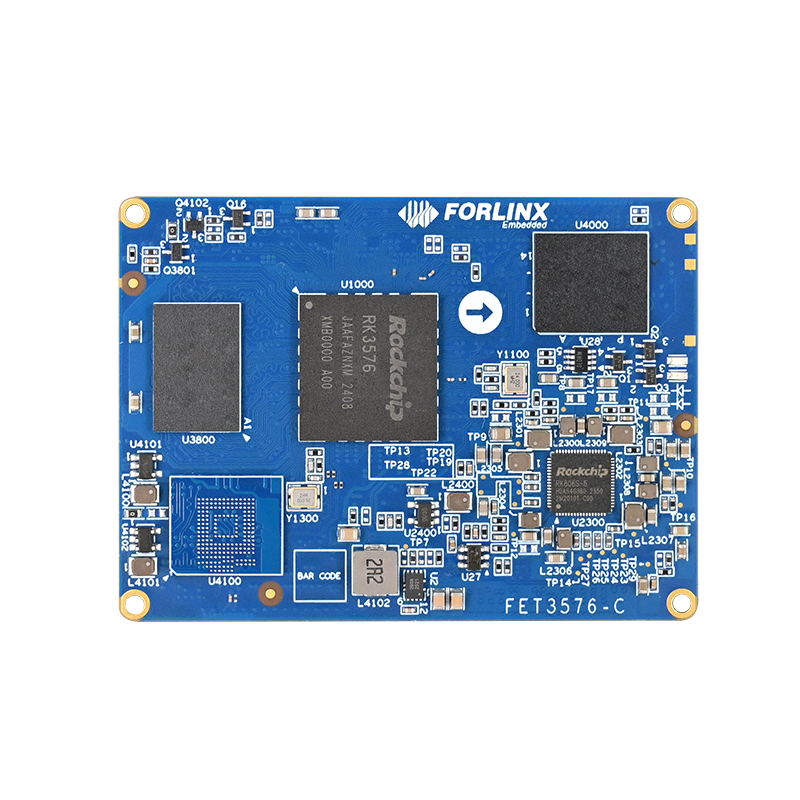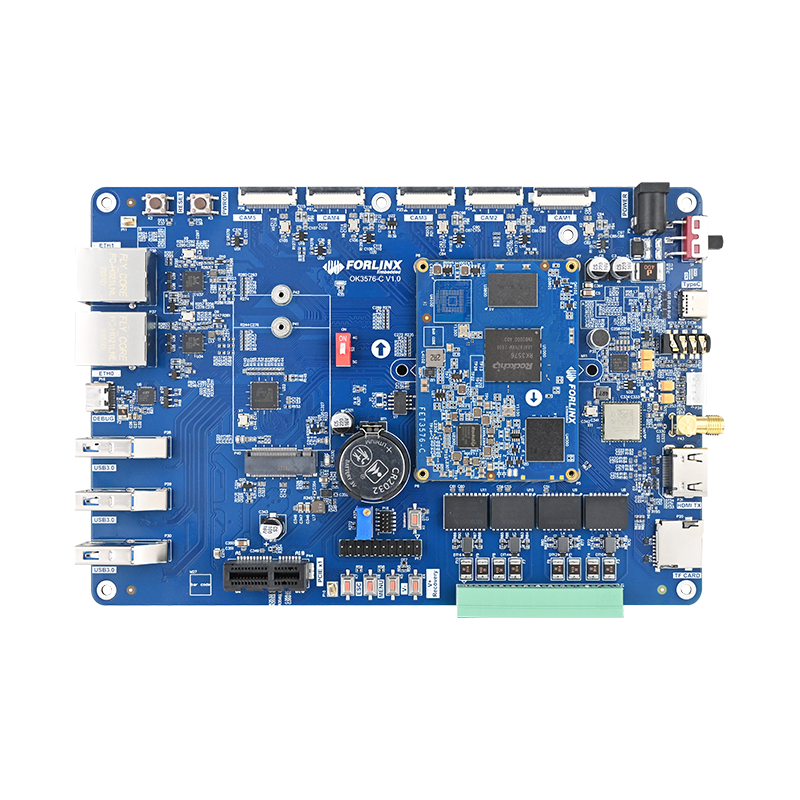

Adapting the FCS950U (UWE5622) SDIO Wi-Fi Module on the OK3576-C Platform
Integrating a new SDIO Wi-Fi module into the Android system requires more than just kernel device recognition and driver loading. It involves a comprehensive process including firmware pre-provisioning, Vendor DLKM module packaging, Wi-Fi HAL configuration, wpa_supplicant startup parameter setup, and Android’s automatic recognition logic. Incomplete configuration at any step can lead to issues such as ''SDIO device detected but no wlan0 interface appears, '' ''driver module pre-provisioned but not auto-loaded, '' or ''Wi-Fi can be enabled but fails to connect. ''
This document outlines the complete adaptation process using the OK3576-C platform (Android 14, Linux 6.1.75) and the FCS950U module as a case study. The FCS950U corresponds to the UNISOC UWE5622 solution in this project, utilizing the SDIO hardware interface and employing sprdwl/unisoc-related Wi-Fi driver components.
Target Platform: OK3576-C, Android 14, Linux 6.1.75
Wireless Module: FCS950U (Corresponds to UWE5622)
Hardware Interface: SDIO, 4-bit bus
Core Tasks: Driver source code porting, Device Tree configuration, firmware & HAL integration, auto-loading setup, functional verification, and log analysis.
1. Wi-Fi Recognition and Loading Flow on Android Platform
On the Rockchip Android platform, the Wi-Fi module generally goes through four stages from power-up to becoming operational: ‘hardware scan’, ‘device identification’, ‘driver loading’ and ‘user-space service launch’. Understanding this flow is crucial for quickly pinpointing whether an issue lies at the hardware, kernel, or Android framework level.
Hardware Scan: The system powers the Wi-Fi module upon boot, and the SDIO controller automatically scans for devices on the bus.
Device Identification: When the user turns on Wi-Fi, the system reads uevent information from directories like /sys/bus/sdio, /sys/bus/usb, or PCI/PCIe device paths.
Driver Loading: The system extracts the device VID/PID or corresponding identifier from the uevent and loads the matching Wi-Fi kernel module (.ko).
Service Initialization: After Wi-Fi type identification, Android selects the appropriate wpa_supplicant parameters and Wi-Fi HAL based on the chipset, ultimately creating the wlan0 interface and initiating the connection process.
Therefore, during debugging, problems can be categorized into three layers:
Layer 1: Can the SDIO bus scan and detect the device?
Layer 2: Can the kernel driver and firmware load normally, and does the wlan0 interface get created?
Layer 3: Do the Android Wi-Fi HAL, wpa_supplicant, and Framework correctly recognize and invoke the driver?
2. Driver Source Code Porting
2.1 Pre-provisioning FCS950U Driver Source Code
Copy the UNISOC driver directory from the FCS950U driver source package to the external/wifi_driver directory in the Android source tree. The source material path is as follows:
FCS950U\uwe562x-main\uwe562x-main\Code\Wi-Fi\drivers\unisoc
↓
Android Source Code Path: external/wifi_driver/unisoc
After source code pre-provisioning, the kernel build system will compile the corresponding WCN BSP, Wi-Fi, and Bluetooth modules from the external/wifi_driver directory.
2.2 Adapting cfg80211 Interface for Linux 6.1.75
Due to changes in cfg80211 interface parameters across different kernel versions, the original driver’s calls to cfg80211_ch_switch_notify() need adjustment to match the Linux 6.1.75 interface. The following two files were modified in this project:
File 1: cfg80211.c
diff --git a/external/wifi_driver/unisoc/unisocwifi/sc2355/cfg80211.c \
b/external/wifi_driver/unisoc/unisocwifi/sc2355/cfg80211.c
@@ -1298,9 +1298,9 @@ static int sprdwl_cfg80211_start_ap(struct wiphy *wiphy,
#if LINUX_VERSION_CODE >= KERNEL_VERSION(6, 3, 0)
cfg80211_ch_switch_notify(vif->ndev, &chandef, 0, 0);
#elif LINUX_VERSION_CODE >= KERNEL_VERSION(6, 0, 0)
- cfg80211_ch_switch_notify(vif->ndev, &chandef, 0);
+ cfg80211_ch_switch_notify(vif->ndev, &chandef, 0, 0);
#else
- cfg80211_ch_switch_notify(vif->ndev, &chandef);
+ cfg80211_ch_switch_notify(vif->ndev, &chandef, 0, 0);
#endif
This modification is located in the SoftAP channel switch notification flow and is used to adapt the function prototype of the current kernel.
File 2: cmdevt.c
diff --git a/external/wifi_driver/unisoc/unisocwifi/sc2355/cmdevt.c \
b/external/wifi_driver/unisoc/unisocwifi/sc2355/cmdevt.c
@@ -3592,9 +3592,9 @@ void sprdwl_event_chan_changed(struct sprdwl_vif *vif,
#if LINUX_VERSION_CODE >= KERNEL_VERSION(6, 3, 0)
cfg80211_ch_switch_notify(vif->ndev, &chandef, 0, 0);
#elif LINUX_VERSION_CODE >= KERNEL_VERSION(6, 0, 0)
- cfg80211_ch_switch_notify(vif->ndev, &chandef, 0);
+ cfg80211_ch_switch_notify(vif->ndev, &chandef, 0, 0);
#else
- cfg80211_ch_switch_notify(vif->ndev, &chandef);
+ cfg80211_ch_switch_notify(vif->ndev, &chandef, 0, 0);
#endif
The corresponding section describes the cfg80211 notification flow after the firmware reports a channel change event. If the number of parameters does not match, a compilation error will typically occur directly during the build phase.
2.3 Google GKI-Related Configuration
Android 14 source code enables Google GKI-related mechanisms by default. Since GKI restricts external drivers from calling certain unexported kernel symbols—such as functions like kernel_read—Unisoc drivers provide the CONFIG_WCN_GKI macro to switch between compatible implementations.
In external/wifi_driver/unisoc/unisocwcn/Kbuild, enable the CONFIG_WCN_GKI macro.
In external/wifi_driver/unisoc/unisocwifi/Kbuild, check for the macro with the same name.
When enabling the GKI-compatible path, turn off the READ_INI_FILP macro to avoid using restricted file-reading interfaces.
The project documentation indicates that even if the current project does not actually use a GKI kernel, enabling CONFIG_WCN_GKI did not affect compilation. However, during actual porting, it is still recommended to verify this based on the current kernel configuration and driver version.
2.4 Configuring the Main Control Platform, Chip Model, and Hardware Interface
The driver package supports multiple main control platforms and various Unisoc WCN chips. Before porting, confirm the following three key variables in external/wifi_driver/unisoc/Makefile:
| Variables: | Configuration: | Description |
| COUSTOM_PLATFORM | rk | Main Control Platform: Rockchip Variable names have been retained exactly as they appear in the driver source code. |
| UNISOC_WCN_CHIP_ID | uwe5622 | The FCS950U corresponds to the UWE5622. |
| UNISOC_WCN_HW_TYPE | sdio | The module connects to the main controller via SDIO. |
Source code path: external/wifi_driver/unisoc/Makefile
# AP platform
# unisoc/qcom/rk/mtk/aw/aml
export COUSTOM_PLATFORM ?= rk
# UNISOC WCN chip ID
# umw2651/umw2652/umw2653
# uwe5621/uwe5622/uwe5623
export UNISOC_WCN_CHIP_ID ?= uwe5622
# UNISOC WCN hardware interface type
# sdio/usb/pcie
export UNISOC_WCN_HW_TYPE ?= sdio
EXTRA_CFLAGS += -Wno-unused-variable
EXTRA_CFLAGS += -D__linux__
obj-y += unisocwcn/
obj-y += unisocwifi/
obj-y += unisocbt/
ifeq ($(UNISOC_WCN_CHIP_ID), umw2652)
obj-y += unisocfm/
endif
Specifically, unisocwcn is responsible for the WCN low-level bus, firmware download and power management; unisocwifi is responsible for the Wi-Fi network interface; and unisocbt is responsible for Bluetooth-related functions.
2.5 Integrating the Unisoc Driver into external/wifi_driver Compilation
Source code path: external/wifi_driver/Makefile
diff --git a/external/wifi_driver/Makefile b/external/wifi_driver/Makefile
@@ -23,6 +23,10 @@ CONFIG_EA6621Q=y
export CONFIG_EA6621Q
obj-$(CONFIG_EA6621Q) += ea6621q/
+CONFIG_UNISOC=y
+export CONFIG_UNISOC
+obj-$(CONFIG_UNISOC) += unisoc/
After adding CONFIG_UNISOC, the relevant Wi-Fi/BT kernel modules will be built when compiling the kernel. When building the Android image, these modules will then be pre-installed into the vendor_dlkm.img. The corresponding directory in the running system is /vendor_dlkm/lib/modules.
3. Pre-installation Process of Wi-Fi Kernel Modules in Android 14
Android 14 places vendor kernel modules in the Vendor DLKM (Dynamically Loadable Kernel Modules) partition. Understanding the path from the compiled artifacts to vendor_dlkm.img helps troubleshoot issues like ''the driver is compiled but the .ko file is missing from the image. ''
3.1 Enabling the Vendor DLKM Image
# device/rockchip/common/build/rockchip/DynamicPartitions.mk
PRODUCT_BUILD_VENDOR_DLKM_IMAGE := true
TARGET_COPY_OUT_VENDOR_DLKM := vendor_dlkm
BOARD_VENDOR_DLKMIMAGE_FILE_SYSTEM_TYPE := $(ROCKCHIP_READ_ONLY_FILE_SYSTEM_TYPE)
Once BOARD_VENDOR_DLKMIMAGE_FILE_SYSTEM_TYPE has been defined, the Android build system will enable BOARD_USES_VENDOR_DLKMIMAGE and generate vendor_dlkm.img.
# build/make/core/board_config.mk
BOARD_USES_VENDOR_DLKMIMAGE :=
ifdef BOARD_PREBUILT_VENDOR_DLKMIMAGE
BOARD_USES_VENDOR_DLKMIMAGE := true
endif
ifdef BOARD_VENDOR_DLKMIMAGE_FILE_SYSTEM_TYPE
BOARD_USES_VENDOR_DLKMIMAGE := true
endif
3.2 Module Directory Compatibility Soft Links
After enabling the Vendor DLKM partition, the system creates a compatibility access path from /vendor/lib/modules to /vendor_dlkm/lib/modules. Applications and underlying components should prioritize using the module path defined by the Android build system.
# build/make/core/Makefile(key logic)
ifdef BOARD_USES_VENDOR_DLKMIMAGE
_vendor_dlkm_lib_modules_symlink := \
$(call create-partition-compat-symlink,\
$(TARGET_OUT_VENDOR)/lib/modules,\
/vendor_dlkm/lib/modules,\
vendor_dlkm.img)
INTERNAL_VENDORIMAGE_FILES += $(_vendor_dlkm_lib_modules_symlink)
ALL_DEFAULT_INSTALLED_MODULES += $(_vendor_dlkm_lib_modules_symlink)
endif
3.3 external/wifi_driver Entering BOARD_VENDOR_KERNEL_MODULES
# vendor/rockchip/common/wifi/wifi.mk
HAVE_EXT_WIFI_KO_FILE := $(shell test -d \
$(TOPDIR)external/wifi_driver/ && echo yes)
ifeq ($(HAVE_EXT_WIFI_KO_FILE),yes)
EXT_WIFI_KO_FILES := $(shell find \
$(TOPDIR)external/wifi_driver -name "*.ko" -type f)
BOARD_VENDOR_KERNEL_MODULES += \
$(foreach file, $(EXT_WIFI_KO_FILES), $(file))
# external/wifi_driver First, remove modules of the same name that may exist in the kernel directoryEXT_WIFI_DRIVER := $(shell find \
$(TOPDIR)external/wifi_driver -name "*.ko" -type f | \
awk -F "wifi_driver/" '{print $$2}' | awk -F "/" '{print $$1}')
$(shell for line in $(EXT_WIFI_DRIVER); do \
rm $(TOPDIR)$(PRODUCT_KERNEL_PATH)/drivers/net/wireless/rockchip_wlan/$$line/*.ko \
> /dev/null 2>&1; done)
$(shell for line in $(EXT_WIFI_DRIVER); do \
rm $(TOPDIR)$(PRODUCT_KERNEL_PATH)/drivers/net/wireless/rockchip_wlan/rkwifi/$$line/*.ko \
> /dev/null 2>&1; done)
endif
wifi.mk will search for all generated .ko files under external/wifi_driver and add them to BOARD_VENDOR_KERNEL_MODULES. Subsequently, the Android build system copies the modules into the Vendor DLKM image through processes such as build-image-kernel-modules and copy-many-files.
4. Hardware Connections and Device Tree Configuration
The FCS950U communicates with the host via 4-bit SDIO, while utilizing independent module enable, reset, and wake-up pins. During adaptation, it’s essential to simultaneously verify the SDIO bus, power sequencing, GPIO polarity, and the specific module variant.
4.1 SDIO Controller Configuration
&sdio {
max-frequency = <200000000>;
no-sd;
no-mmc;
bus-width = <4>;
disable-wp;
cap-sd-highspeed;
cap-sdio-irq;
keep-power-in-suspend;
mmc-pwrseq = <&sdio_pwrseq>;
non-removable;
pinctrl-names = "default";
pinctrl-0 = <&sdmmc1m0_bus4
&sdmmc1m0_clk
&sdmmc1m0_cmd>;
sd-uhs-sdr104;
status = "okay";
};
Key Configuration Notes:
bus-width = <4>: Uses a 4-bit SDIO data bus.
non-removable: Indicates the module is an onboard device, not handled as a removable SD card.
keep-power-in-suspend: Maintains power to the module during system suspend to support wake-up functionality.
cap-sdio-irq: Declares controller support for SDIO interrupts.
mmc-pwrseq: Binds to the module’s power-on/reset sequencing node.
sd-uhs-sdr104: Enables SDR104 capability. Actual frequency and stability are still affected by PCB layout, module characteristics, and controller configuration.
4.2 Unisoc Marlin3 and Wi-Fi Device Node Configuration
sprd_marlin3: sprd-marlin3 {
compatible = "unisoc,marlin3";
sprd,btwf-file-name = "/vendor/etc/firmware/wcnmodem.bin";
sdhci-name = <&sdio>;
keep-power-on;
// adma-tx;
// adma-rx;
// blksz-512;
// sdio-irq-type = "data-irq";
// sdio-irq-gpio = "esmd3";
m2-wakeup-ap-gpios = <&gpio1 RK_PD4 GPIO_ACTIVE_HIGH>;
reset-gpios = <&gpio1 RK_PC7 GPIO_ACTIVE_LOW>;
enable-gpios = <&gpio1 RK_PC6 GPIO_ACTIVE_LOW>;
m2-to-ap-irq-gpios = <&gpio0 RK_PB1 GPIO_ACTIVE_HIGH>;
status = "okay";
};
sprd-wlan {
compatible = "sprd,sc2355-wifi";
status = "okay";
};
| Configurations: | Purpose and Project Notes |
| sprd,btwf-file-name | Configures the path for the CP2 firmware wcnmodem.bin. This path must match the actual pre-installed location in the Android image. |
| sdio-irq-type | If not configured, an external GPIO interrupt is used by default (recommended in source material). data-irq uses SDIO_DATA1; rx-polling uses a polling method. |
| sdio-irq-gpio | FCS851U requires esmd3 to be configured; FCS950U should remain commented out (as per the original note). |
| m2-wakeup-ap-gpios | The WLAN_WAKE signal, used by the Wi-Fi module to send RX interrupts to the host. |
| m2-to-ap-irq-gpios | The BT_WAKE_HOST related INT signal, used for sleep/wake control. |
| reset-gpios | Module RESET_N signal, active low, optional. |
| enable-gpios | Module CHIP_EN/WIFI_REG_ON enable signal, optional. |
| adma-tx / adma-rx | Configures SDIO to use ADMA. If not configured, SDMA is used by default. |
4.3 SDIO Power Sequencing Node
sdio_pwrseq: sdio-pwrseq {
compatible = "mmc-pwrseq-simple";
pinctrl-names = "default";
pinctrl-0 = <&wifi_poweren_gpio>;
post-power-on-delay-ms = <200>;
reset-gpios = <&gpio1 RK_PC7 GPIO_ACTIVE_LOW>;
status = "okay";
};
During project debugging, initially the reset pin was configured in the reset-gpios of the sprd_marlin3 node, and the system could not scan the SDIO card. Once the reset operation was reassigned to be performed by sdio-pwrseq, the module was recognised correctly. This phenomenon indicates that the timing stage of the reset operation affects SDIO enumeration.
As seen from the timing diagram, a reasonable sequential relationship must be maintained among VIO, VBAT, CHIP_EN, and RESET_N. Project experience shows that the interval between power-up of RESET and VIO/VBAT should not be too long; otherwise, the module may not have entered an enumerable state when the host controller begins scanning.
4.4 Differences in Wake-up Pins for FCS950U Different OC Models
Different OC models of the module may use different physical pins as WLAN_WAKE. FCS950UAAMD corresponds to WLAN_WAKE1 (Pin 6).
FCS950UABMD corresponds to WLAN_WAKE2 (Pin 13).
4.5 Verifying Whether the SDIO Device Has Been Enumerated
ok3576_c:/sys/bus/sdio/devices/mmc2:8800:1 # cat uevent
DRIVER=sdiohal
SDIO_CLASS=00
SDIO_ID=0000:0000
SDIO_REVISION=0.0
MODALIAS=sdio:c00v0000d0000
The SDIO_ID of the FCS950U in this project is 0000:0000. Subsequently, the Android auto-detection logic will use this identifier to match SPRDWL devices. Therefore, this ID needs to be added to supported_wifi_devices.
5. Android 14 System Integration
5.1 Preloading Wi-Fi Firmware and Board-Level Configuration Files
Copy the corresponding wcnmodem.bin and wifi_board_config.ini for the FCS950U from the driver package to the Rockchip common Wi-Fi firmware directory.
Source Directory:
FCS950U\uwe562x-main\uwe562x-main\Code\Wi-Fi\fw\FCS950U
Target Directory:
vendor/rockchip/common/wifi/firmware
Among these:
wcnmodem.bin is the WCN/CP2 firmware.
wifi_board_config.ini is used to load board-level radio frequency and Wi-Fi configurations. The sprd,btwf-file-name in the device tree must match the final firmware path in the image.
5.2 Adding Unisoc wpa_supplicant Startup Parameters
diff --git a/device/rockchip/common/wpa_config.txt \
b/device/rockchip/common/wpa_config.txt
@@ -48,3 +48,9 @@
+[sprdwl]
+/vendor/bin/hw/wpa_supplicant
+-O/data/vendor/wifi/wpa/sockets
+-puse_p2p_group_interface=1
+-g@android:wpa_wlan0
When the system identifies the sprdwl driver, it will use this configuration to launch wpa_supplicant. The parameters specify the control socket directory, P2P group interface policy, and global control interface, respectively.
5.3 Adding libwifi-hal-sprd to the public Wi-Fi HAL
diff --git a/hardware/rockchip/wifi/wifi_hal/common/Android.mk \
b/hardware/rockchip/wifi/wifi_hal/common/Android.mk
@@ -25,5 +25,6 @@ LOCAL_REQUIRED_MODULES := \
libwifi-hal-rtk \
libwifi-hal-bes \
libwifi-hal-aic \
- libwifi-hal-skw
+ libwifi-hal-skw \
+ libwifi-hal-sprd
This modification ensures that the Wi-Fi HAL dynamic library corresponding to Unisoc is generated and preloaded during product build.
5.4 Adding Android.mk for Unisoc Wi-Fi HAL
The source material requires creating a unisoc directory under the Rockchip Wi-Fi HAL’s vendor directory, adding Android.mk, and copying the wifihal source code from the driver package to the hardware directory. The core build configuration is as follows:
# Copyright (C) 2011 The Android Open Source Project
# Licensed under the Apache License, Version 2.0
LOCAL_PATH := hardware/unisoc/wlan/wifi_hal
include $(CLEAR_VARS)
LOCAL_CFLAGS := \
-Wall \
-Werror \
-Wno-format \
-Wno-reorder \
-Wno-unused-function \
-Wno-unused-parameter \
-Wno-unused-private-field \
-Wno-unused-variable
LOCAL_C_INCLUDES += \
external/libnl/include \
$(call include-path-for, libhardware_legacy)/hardware_legacy \
external/wpa_supplicant_8/src/drivers
LOCAL_HEADER_LIBRARIES := libutils_headers liblog_headers
LOCAL_SRC_FILES := \
wifi_hal.cpp \
rtt.cpp \
common.cpp \
cpp_bindings.cpp \
gscan.cpp \
link_layer_stats.cpp \
wifi_logger.cpp \
wifi_offload.cpp
LOCAL_SHARED_LIBRARIES := \
librkwifi-ctrl \
libcrypto \
libnl \
libutils \
libcutils \
liblog
LOCAL_MODULE := libwifi-hal-sprd
LOCAL_PROPRIETARY_MODULE := true
include $(BUILD_SHARED_LIBRARY)
5.5 Adding Automatic Wi-Fi Device Recognition
Uncomment the SPRDWL device in the Rockchip Wi-Fi control logic and use the ID 0000:0000 read from the SDIO uevent as the matching ID.
// frameworks/opt/net/wifi/libwifi_hal/rk_wifi_ctrl.cpp
static wifi_device supported_wifi_devices[] = {
{"AP6611S", "06CB:AABF"},
{"MVL88W8977", "02df:9145"},
{"NXP88W8987", "02df:9149"},
{"SPRDWL", "0000:0000"},
{"BES2600", "be57:2002"},
{"AIC8800", "5449:0145"},
{"AIC8800", "c8a1:0082"},
};
After the system reads the SDIO device ID, it can recognize the module as the SPRDWL type and proceed to the corresponding driver loading and HAL selection process.
5.6 Adding BSP Module Pre-loading Logic
// frameworks/opt/net/wifi/libwifi_hal/wifi_hal_common.cpp
#define SPRD_BSP_DRIVER_MODULE_PATH \
WIFI_MODULE_PATH "uwe5622_bsp_sdio.ko"
#define SPRDWL_DRIVER_MODULE_NAME "sprdwl"
int wifi_load_driver() {
...
if (strstr(wifi_ko_path, SPRDWL_DRIVER_MODULE_NAME)) {
insmod(SPRD_BSP_DRIVER_MODULE_PATH, "");
usleep(200000);
}
...
}
sprdwl_ng.ko relies on the underlying UWE5622 BSP and SDIO transmission capabilities. Therefore, before loading the main Wi-Fi driver, it is necessary to insert uwe5622_bsp_sdio.ko first and wait for module initialization.
5.7 Building Android Image
source build/envsetup.sh
lunch 6
./build.sh -UKAup
After compilation is complete, verify that the Kernel modules, vendor_dlkm.img, vendor.img, and related system images have been updated. Merely replacing boot.img or the kernel image may not synchronously update the HAL, firmware, and Vendor DLKM modules.
6. Driver and Function Verification
6.1 Checking SDIO Enumeration
console:/sys/bus/sdio/devices # ls
mmc2:8800:1
If the directory is empty, prioritize checking the SDIO controller, pin multiplexing, power supply, and the timing of RESET and CHIP_EN instead of continuing to troubleshoot the Android HAL.
6.2 Checking if Driver Modules are Preloaded
console:/ # ls /vendor_dlkm/lib/modules/
bcmdhd.ko
mlan.ko
moal.ko
modules.alias
modules.dep
modules.load
modules.softdep
r8168.ko
sprdbt_tty_sdio.ko
sprdwl_ng.ko
uwe5622_bsp_sdio.ko
This project requires at least uwe5622_bsp_sdio.ko and sprdwl_ng.ko. The Bluetooth function will also use sprdbt_tty_sdio.ko.
6.3 Checking Module Loading Dependencies
console:/sys/bus/sdio/devices # lsmod
Module Size Used by
sprdwl_ng 507904 0
sprdbt_tty_sdio 53248 0
uwe5622_bsp_sdio 286720 2 sprdwl_ng,sprdbt_tty_sdio
r8168 589824 0
The Used by field can confirm that both Wi-Fi and Bluetooth drivers depend on the underlying uwe5622_bsp_sdio module. If loading only sprdwl_ng fails, check whether the BSP module was loaded in advance and whether the dependency symbols are satisfied.
6.4 Checking the wlan0 Network Interface
console:/ # ifconfig wlan0
wlan0 Link encap:Ethernet
HWaddr ec:b5:0a:55:5a:6f
Driver unisoc_wifi
BROADCAST MULTICAST MTU:1500 Metric:1
RX packets:0 errors:0 dropped:0 overruns:0 frame:0
TX packets:0 errors:0 dropped:0 overruns:0 carrier:0
The appearance of wlan0 with the driver unisoc_wifi indicates that the kernel driver, firmware startup, and network interface creation have been completed. You can then proceed to Android Settings for scanning, connecting, and network verification.
| Phenomenon | Priority Troubleshooting Direction |
| Unable to scan SDIO card | Check SDIO controller configuration, pin multiplexing, power supply, and RESET/CHIP_EN power-up timing. |
| Card scanned but driver not loaded | Check Android auto-recognition ID, module preloading, module path, and wifi_load_driver logic. |
| Driver loaded but no wlan0 | Capture dmesg, check firmware download, wifi_board_config.ini, and BSP & sprdwl initialization logs. |
| wlan0 exists but Wi-Fi cannot be enabled in settings interface | Check libwifi-hal-sprd, wpa_config, framework recognition, and SELinux/permission logs. |
| Can connect but cannot access the internet | Check DHCP, routing, DNS, and Captive Portal detection related logcat messages. |
7. Log Toggles and Problem Diagnosis
7.1 Enabling or Disabling WCN Driver Logs
# Turn OFF Wi-Fi/WCN driver logs
echo "bsplog=0" > /proc/mdbg/at_cmd
# Turn ON Wi-Fi/WCN driver logs
echo "bsplog=1" > /proc/mdbg/at_cmd
You can also modify the default log level in the driver source code.
// File path: external/wifi_driver/unisoc/unisocwcn/platform/wcn_procfs.c
// Default log level: INFO
u32 wcn_print_level = LOG_INFO;
// To keep only ERROR logs:
// u32 wcn_print_level = LOG_ERR;
During the development phase, it is recommended to retain the INFO level. For the product version, the log volume can be appropriately reduced to avoid continuous logging affecting performance or overwhelming other kernel logs.
7.2 Capturing CP2 Firmware Logs
# Enable cp2log
echo -e "at+armlog=1\r" > /proc/mdbg/at_cmd
# Save cp2log
cat /dev/slog_wcn0 > /sdcard/cp2log.txt &
You can also adjust the default behavior in the platform configuration header file:
// File path: unisocwcn/include/platform_config/rk_config.h
// true: Disable cp2log by default
// false: Enable cp2log by default
config_wcn_user = false;
7.3 Capturing Dmesg
The default kernel log buffer in Android might be small, causing old logs to be overwritten by new ones during issue reproduction. Before capturing, you can increase the ''Logger Buffer Sizes '' in Developer Options.
Figure 5: Logger Buffer Sizes in Android Developer Options
adb shell dmesg > D:\log\dmesg.txt
After capturing, you can prioritize filtering for keywords related to sprdwl, WCN, SDIO, and unisoc:
grep -Ei "sprdwl|wcn|sdio|unisoc|marlin" dmesg.txt
7.4 Key Phases of Successful Driver Load Logs
The complete log can be lengthy. You can assess the initialization progress according to the following phases.
Phase 1: Device Tree Parsing and Low-level Driver Probe
WCN BASE: marlin_init entry!
WCN BASE: marlin_probe: unisoc wcn driver build time: Mar 19 2025 06:11:16 (UTC)
WCN BASE: parse_wcn_globle_config entry
WCN BASE: marlin_probe: device node name: sprd-marlin3
WCN BASE: btwf firmware name:/vendor/etc/firmware/wcnmodem.bin
WCN SLP_MGR: slp_mgr_init ok!
WCN SDIO: adma enable tx:0, rx:0
WCN SDIO: sdiohal_init sdiohal driver init successful
WCN BASE: marlin_probe driver match successful!
Driver match successful indicates that the sprd-marlin3 node has matched with the WCN low-level driver.
Phase 2: Module Power-up and SDIO Scanning
WCN BASE: start_marlin [MARLIN_WIFI]
WCN BASE: the first power on start
WCN BASE: marlin_clk_enable successfully!
WCN BASE: marlin_digital_power_enable D1v2 1
WCN BASE: wifipa 3v3 1
WCN SDIO: sdiohal_scan_card
WCN SDIO: sdiohal_probe func num is 1!!!
WCN SDIO: sdiohal_probe: func->class=0, vendor=0x0000, device=0x0000
WCN SDIO: enable sdio func1 ok
WCN BASE: marlin_scan_finish!
WCN SDIO: sdiohal_probe scan card successful!
scan card successful is the key log for determining whether the SDIO link and power-up timing are normal.
Phase 3: Downloading wcnmodem.bin Firmware
WCN BASE: xtal_26m clock XO mode
WCN BASE: then marlin start to download
WCN BASE: marlin btwifi_download_firmware from /system/etc/firmware/ start!
WCN BASE: download count=29,len=0,trans_size=32768
WCN BASE: download count=29,len=32768,trans_size=32768
...
WCN BASE: download count=29,len=917504,trans_size=29616
WCN BASE: marlin btwifi_download_firmware successfully!
WCN BASE: marlin_start_run
Firmware download logs will print repeatedly in fixed fragment lengths. As long as download_firmware successfully appears at the end, it indicates the firmware file is accessible and the download is complete.
Phase 4: SDIO Parameter Synchronization and CP Startup
WCN BASE: sdio_config rx mode:[sdma]
WCN BASE: sdio_config blksize:[512]
WCN BASE: sdio_config bt_wake_host:[dis]
WCN BASE: sdio_config sdio_irq:[gpio1]
WCN BASE: marlin_send_sdio_config_to_cp sdio_config:0x31
WCN BASE: pre_btwifi_download_sdio check_cp_ready start
WCN BASE: check_cp_ready sync val:0xf0f0f0f2, prj_type val:0x0
...
WCN BASE: check_cp_ready sync val:0xf0f0f0ff, prj_type val:0x0
...
WCN BASE: then marlin download finished and run ok
Here, you can confirm the use of SDMA, 512-byte block size, and GPIO interrupts. Once the synchronization value enters the ready state, the CP firmware begins normal operation.
Phase 5: Reading Version, Loading INI, and Creating wlan0
WCN BASE: at cmd read:WCN_VER:Platform Version:MARLIN3_20A_W25.08.1
Project Version:sc2355_marlin3_lite_2in1~02-17-2025 10:47:43~
sc2355:Spreadtrum WLAN Version:
sc2355:Kernel:6.1.75-android14-11-g8942136b2744-ab11900366,
Driver:Marlin3,update:000e,reserved:
sc2355:get_wifi_config_param, chip id of marlin3 lite is 2,
open wifi_board_config.ini
sc2355:iface 'wlan0'(c4:a6:4e:c4:5c:12) type 2 added
Finally, the appearance of open wifi_board_config.ini and iface wlan0 added indicates that the main Wi-Fi driver has completed configuration and successfully created the network interface.
7.5 Capturing Android logcat
Android upper-layer logs can be used to analyze Wi-Fi toggling, scanning, connecting, P2P, and internet connectivity detection. After entering Developer Mode and raising the log level, capture logs in real-time via ADB:
adb logcat -v time > D:\log\logcat.txt
Start capturing, reproduce the issue, then press Ctrl+C to end Common keywords are as follows:
| Keywords: | Meaning |
| AP-ENABLED | SoftAP has been successfully enabled. |
| freq = 2412 | The current channel frequency of the SoftAP, for example 2412 MHz. |
| setWifiEnabled | Wi-Fi switch call; ''true '' indicates on, ''false '' indicates off. |
| package=com.android.settings uid=1000 enable=true | Enable Wi-Fi via the Android settings menu. |
| wifi state: 0 | Wi-Fi is being switched off |
| wifi state: 1 | Wi-Fi has been switched off. |
| wifi state: 2 | Wi-Fi is being switched on. |
| wifi state: 3 | Wi-Fi has been switched on. |
| connectToUserSelectNetwork | Begin connecting to the network selected by the user. |
| prepareForForcedConnection: SSID="AP" | Prepare to connect to the target network named ‘AP’. |
| wlan0: CTRL-EVENT-CONNECTED | The Wi-Fi STA connection was successful. |
| isCaptivePortal: isSuccessful()=true | Internet connectivity test successful; ‘false’ indicates that a connection may not be possible. |
| P2P-DEVICE-FOUND | Scan for a Wi-Fi Direct/P2P device. |
| p2p-wlan0-0: CTRL-EVENT-CONNECTED | The P2P connection has been established. |
8. Typical Issues and Troubleshooting Approaches
8.1 No mmc2:8800:1 in the SDIO Directory
Confirm the VIO and VBAT voltages for the FCS950U, as well as the power-up sequence.
Verify the active levels and release timing for CHIP_EN and RESET_N.
Check the pin multiplexing and hardware pull-up resistors for SDIO CMD, CLK, and DATA0~DATA3.
Attempt using the sdio-pwrseq or performing the reset earlier in the U-Boot stage.
Reduce max-frequency to investigate signal integrity issues.
8.2 SDIO Enumerated, but the System Does Not Automatically Load the Driver
Read the uevent to confirm if the SDIO_ID is still 0000:0000.
Check if SPRDWL and its corresponding ID have been added in rk_wifi_ctrl.cpp.
Verify the existence of uwe5622_bsp_sdio.ko and sprdwl_ng.ko in /vendor_dlkm/lib/modules.
Ensure wifi_hal_common.cpp loads the BSP module first.
Check modules.dep and kernel symbol dependencies.
8.3 Driver Modules Loaded, but No wlan0 Interface
Check if marlin btwifi_download_firmware successfully appears in the logs.
Confirm the actual path, permissions, and integrity of the wcnmodem.bin file.
Verify that wifi_board_config.ini is loaded correctly.
Inspect if check_cp_ready ultimately enters the ready state.
Enable bsplog and cp2log to examine errors on the WCN firmware side.
8.4 wlan0 Exists, but Wi-Fi is Abnormal in Android Settings
Confirm that libwifi-hal-sprd has been built and is a dependency for the product.
Ensure the wpa_config.txt file contains the [sprdwl] configuration.
Check the consistency between the HAL source directory and LOCAL_PATH in the Android.mk file.
Capture logcat and observe errors related to setWifiEnabled, wifi state, and wpa_supplicant.
Check for SELinux denials, missing dynamic libraries, or service startup failures.
9. Conclusion and Key Points for Adaptation
Adapting the FCS950U SDIO Wi-Fi module on the OK3576 Android 14 platform does not revolve around modifying a single driver file in isolation. Instead, the core is to establish the complete chain from hardware power-up to the Android Framework:
FCS950U Power Supply and Reset Sequence
↓
SDIO Controller Enumeration and Device Tree Matching
↓
UWE5622 WCN BSP Module Loading
↓
wcnmodem.bin Firmware Download and CP Startup
↓
sprdwl_ng Creates wlan0
↓
Android Recognizes SPRDWL Device Type
↓
libwifi-hal-sprd and wpa_supplicant Startup
↓
Settings App: Scanning, Connection, Internet Access, and P2P Function Verification
During actual debugging, it is recommended to always follow the order of ''First the bus, then the driver, and finally Android '' for problem localization. If SDIO is not enumerated successfully, troubleshooting should not immediately jump to the HAL.If the wlan0 interface has not been created, network connection logs should not be the primary focus. By verifying each layer step-by-step using uevent, lsmod, dmesg, cp2log, and logcat, the time required for problem diagnosis can be significantly reduced.
This project also highlights two common risks:
- The timing of the RESET signal release directly affects SDIO enumeration.
- Naming discrepancies may exist between the module’s part number (OC), schematic net names, and device tree GPIOs. For wireless module adaptation, the hardware datasheet, physical component markings, schematics, and system logs must be cross-referenced. One should not rely solely on a single configuration example.
Appendix: Quick Checklist After Successful Adaptation
| Check Item | Passing Criteria |
| Power supply | VIO/VBAT stable; CHIP_EN and RESET_N timing meet module requirements. |
| SDIO Enumeration | mmc2:8800:1 appears under /sys/bus/sdio/devices. |
| Device ID | SDIO_ID=0000:0000 can be read from uevent. |
| Module Pre-installed | uwe5622_bsp_sdio.ko and sprdwl_ng.ko exist in /vendor_dlkm/lib/modules. |
| Module Loading | lsmod shows that sprdwl_ng depends on uwe5622_bsp_sdio. |
| Firmware Download | dmesg shows btwifi_download_firmware successfully. |
| Board Configuration | dmesg shows open wifi_board_config.ini. |
| Network Interface | The command ifconfig / ip link shows wlan0, with its Driver listed as unisoc_wifi. |
| Android HAL | libwifi-hal-sprd has been built, and Wi-Fi can be enabled in the Settings app. |
| Connection Verification | Logcat shows CTRL-EVENT-CONNECTED, and network connectivity tests succeed. |
| Logging Capability | Able to capture dmesg, cp2log, and logcat normally. |