
T536 Linux5.10 GPADC Channel and FIFO/Burst Testing
Composition
The T536 has 4 GPADC controllers: GPADC0 to GPADC2 each have 10 channels, while GPADC3 has only 1 channel. The 10 channels of GPADC0 are multiplexed with the PA group IOs. GPADC1 only exposes seven channels: 0–3 and 7–9 (the other three are used internally on the SoM). All channels of GPADC2 and GPADC3 are led out.
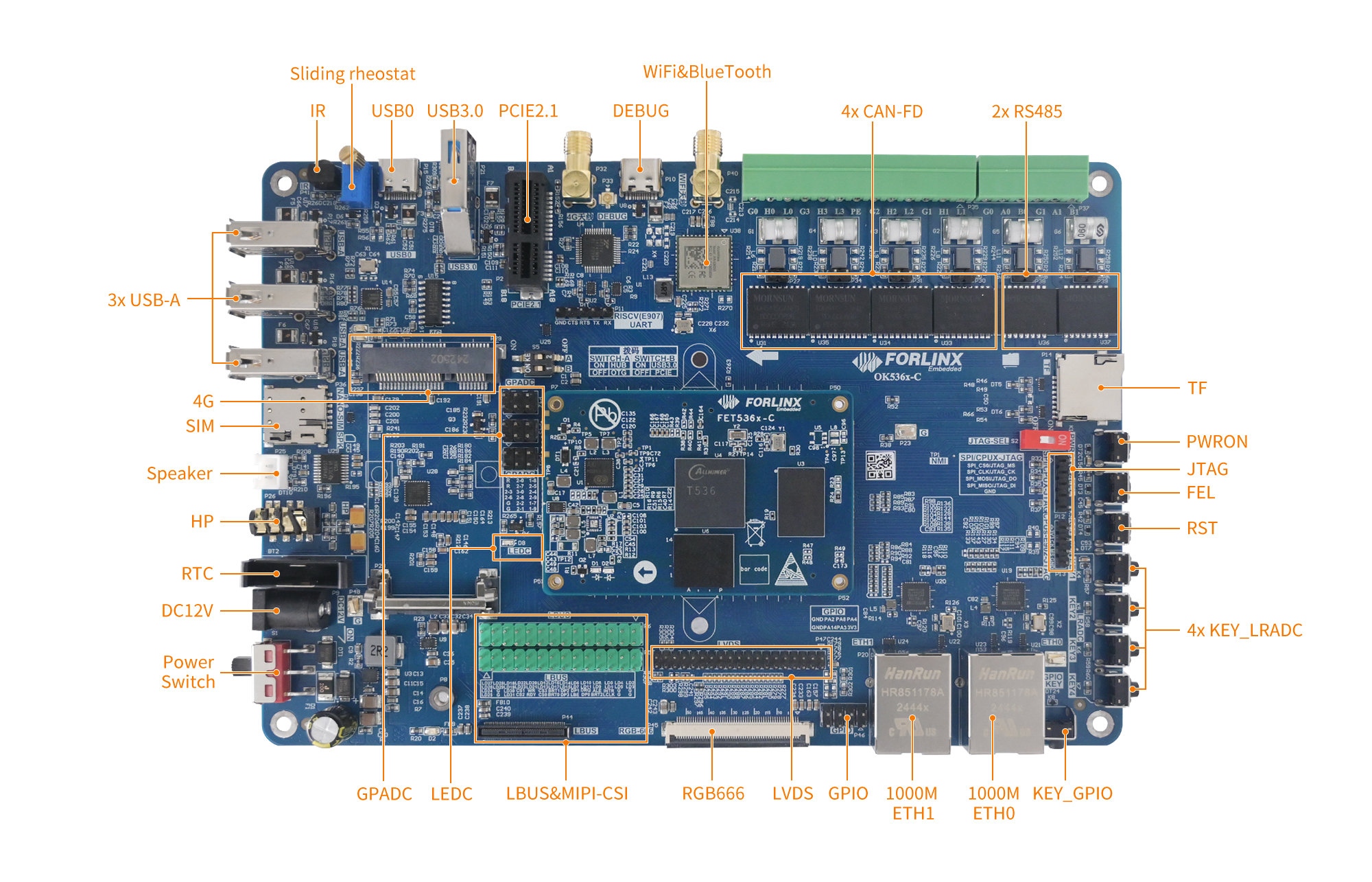
OK536-C Development Board Interface Diagram
Sampling Rate
GPADC0 to GPADC2 channels support a maximum sampling rate of 1 MHz, while GPADC3 can reach up to 2 Mhz.
It's important to note that all channels within an ADC share this sampling rate. For instance, if the ADC is set to a 1 MHz sampling rate with four channels enabled, the effective sampling rate per channel will be approximately 250 kHz.
However, actual testing revealed that the achievable sampling rate per channel does not reach this theoretical maximum. On the SDK1.1 Rt core, the Burst Mode for a single channel can process up to 230,000 samples per second; exceeding this limit can overload the kernel. Additionally, this limitation may be influenced by kernel scheduling constraints, as later tests uncovered issues, including interrupt nesting. Furthermore, the logging during these tests relied on printk, which consumes kernel resources. If a customer requires higher sampling rates, modifications to the driver must be considered based on the specific If a customer needs higher sampling rates, driver modifications must be considered based on the specific application scenario.
Block Diagram
Data and Interrupt Registers
Data Register
High Comparison, Low Comparison
Data
Interrupt Register
High Comparison Interrupt
Low Comparison Interrupt
Data Interrupt
FIFO-Related Interrupts
Allwinner Driver Processing Flow
1. Enable data interrupts and high/low comparison interrupts.
2. In the test application, select the channel to be tested;
3. Enable the corresponding channel, and the GPADC begins conversion;
4. Once data is captured, the interrupt service routine (ISR) is triggered;
5. Within the ISR, determine whether the data is within the specified range using the high/low comparison interrupts;
6. If within the range, report an input event; otherwise, do not report.
FIFO and Burst Mode
The T536 also supports Burst Mode to acquire GPADC values. Data is first stored in the FIFO, and once a certain amount is accumulated, a FIFO interrupt is triggered.
However, there is a limitation: only one channel can be enabled in this mode. If two channels are enabled, the device cannot identify their data source unless distinguished by data range.
In this mode, the maximum achievable sampling rate is approximately 230 kHz.
Testing Procedure:
echo 0x02088004 0x00880000 > write # continuous disabled
echo 0x02088004 0x00890000 > write # continuous enable
echo 0x02088004 0x008C0000 > write # burst disabled
echo 0x02088004 0x008D0000 > write # burst enable
echo 0x0208800c 0x00071f00 > write # endable fifo